
Certified SSD Data Sanitization Software
Data Sanitization Pro (DSP) is professional SSD data erasure software designed to securely remove stored information from supported solid state drives through a controlled, software-based sanitization process.
Unlike traditional hard disk drives, SSDs use NAND flash memory and controller-managed storage. Technologies such as the Flash Translation Layer (FTL), wear leveling, garbage collection and over-provisioning can affect how data is stored and erased.
DSP provides a structured workflow for SSD erasure, sanitization, verification, reporting and certification across supported SATA SSD, NVMe SSD, PCIe SSD, M.2, U.2, U.3, SAS SSD and enterprise SSD configurations.
Test Data Sanitization Pro on your own supported SSDs before you buy.

SSD Data Erasure Software for Secure Reuse
Deleting files, formatting an SSD or reinstalling an operating system is not the same as performing a controlled SSD data erasure process.
An SSD manages data differently from a magnetic hard drive. The controller may move data between physical flash locations, maintain reserve capacity and manage internal storage areas that are not directly visible to the operating system.
For this reason, professional SSD data erasure software should identify the device, assess its available capabilities, select an appropriate erasure method, perform the operation, verify the result and retain documentation.
Data Sanitization Pro follows:
- Identify
- Assess
- Select
- Erase
- Verify
- Certify
This workflow can support SSD preparation for:
- Reuse
- Redeployment
- Refurbishment
- Resale
- Equipment return
- IT asset retirement
- ITAD processing
- Enterprise hardware refresh
DSP performs software-based logical data erasure. The physical SSD remains intact.
Why SSD Erasure Is Different From HDD Erasure
An HDD and an SSD should not automatically be sanitized using the same approach.
An SSD uses NAND flash and an internal controller. The controller manages data placement through the Flash Translation Layer, while wear leveling and over-provisioning can change where information is physically stored.
A conventional overwrite may therefore not provide the same sanitization outcome as a device-level SSD erasure operation.
This is why a professional SSD wipe software workflow should consider the actual storage technology and the capabilities exposed by the drive.
NIST's current media-sanitization guidance is SP 800-88 Rev. 2, published in September 2025. It recommends selecting sanitization techniques and controls according to the media and the sensitivity of the information rather than applying one generic technique to every storage technology.
What Is SSD Data Sanitization?
SSD data sanitization software is used to remove stored information from solid state storage through an appropriate sanitization technique.
Depending on the device, the available workflow may involve:
- Secure Erase
- Enhanced Secure Erase
- ATA Sanitize
- NVMe Sanitize
- NVMe secure erase operations
- Cryptographic Erase
- Other supported logical erasure methods
The appropriate operation depends on the SSD's:
- Controller
- Firmware
- Interface
- Security Configuration
- Storage Architecture
The objective is not simply to issue an erase command. It is to use an appropriate operation, complete the process successfully, verify the result where applicable and document the outcome.
Data Sanitization Pro for Secure SSD Erasure
Data Sanitization Pro provides more than a basic SSD erase tool.
25 Data Erasure Methods
DSP supports 25 data erasure methods for different storage technologies and organizational requirements.
SSD Data Erasure
Erase stored information from supported solid state drives through the selected sanitization workflow.
SSD Sanitization
Apply an appropriate supported method according to the capabilities of the target SSD.
Secure SSD Erase
Use supported device-level operations where available instead of treating generic overwriting as a universal SSD solution.
Verification
Record the applicable result after the erasure operation.
Self-Certified Reporting
Generate self-certified, auditable SSD data erasure reports and certificates.
Device Identification
Capture available information such as:
- Manufacturer
- Model
- Serial Number
- Capacity
- Firmware
- Interface
Drive Health Information
Available SMART, error and storage-health information can help with the asset assessment before reuse.
Multi-Drive Processing
Process up to 8 selected drives simultaneously in supported configurations.
Offline Operation
Use supported offline workflows in controlled environments.
How SSD Data Erasure Works
- 01
Detect the SSD
DSP identifies supported solid state drives available to the sanitization environment.
- 02
Identify the Device
Relevant device information can include:
- Manufacturer
- Model
- Serial Number
- Capacity
- Interface
- Firmware
- 03
Assess Capabilities
Review the storage device and available functions before choosing the erasure operation.
This step is particularly important with SSDs because capabilities can vary between models and firmware versions.
- 04
Select the Erasure Method
Choose the appropriate method according to the SSD and organizational requirements.
- 05
Erase the Data
DSP performs the selected logical SSD data erasure operation.
- 06
Verify the Result
The completed process is checked through the applicable verification workflow.
- 07
Generate the Certificate
DSP can record the result and generate an auditable SSD data erasure certificate or report.
- Detect
- Assess
- Erase
- Verify
- Certify
SATA SSD Data Erasure
SATA SSDs are commonly found in desktops, laptops, workstations and enterprise systems.
Supported configurations can include:
- 2.5-inch SATA SSD
- M.2 SATA SSD
- mSATA SSD
- Enterprise SATA SSD
Depending on the device, supported functions can include ATA Secure Erase, Enhanced Secure Erase or ATA Sanitize.
The actual operation depends on the SSD firmware and capabilities exposed to the sanitization environment.
NVMe SSD Data Erasure
NVMe SSDs communicate through modern storage interfaces, commonly PCIe-based and are widely used across laptops, workstations, servers and enterprise systems.
Supported NVMe configurations can include:
- M.2 NVMe
- U.2 NVMe
- U.3 NVMe
- PCIe NVMe
- Enterprise NVMe
- NVMe add-in cards
NVMe devices can expose Format NVM and Sanitize capabilities depending on their controller and firmware.
For supported devices, the available operation should be determined from the actual drive rather than assumed from the form factor alone.
NVMe Sanitize, Secure Erase and Cryptographic Erase
Modern NVMe SSDs may provide more than one way to remove stored information.
NVMe Sanitize
The NVMe specification defines Sanitize operations intended to make previously written user data inaccessible. Available sanitize mechanisms depend on the device implementation.
Format NVM Secure Erase
Supported NVMe devices can provide secure-erase options through Format NVM.
Cryptographic Erase
Where supported, cryptographic erasure can render encrypted information inaccessible through sanitization of the applicable encryption key.
Overwrite
A software overwrite may be appropriate in some situations, but it should not automatically be treated as the universal sanitization method for every SSD.
The key principle is:
Identify the SSD first. Select the appropriate method second.
PCIe, M.2, U.2 and U.3 SSD Erasure
SSD search intent often combines the device type with its form factor or interface.
PCIe SSD Erasure
PCIe SSDs use the PCI Express interface and may expose NVMe-based functionality.
M.2 SSD Erasure
M.2 describes a physical form factor rather than a specific protocol.
An M.2 drive can use SATA or NVMe, so identifying the actual interface is important before sanitization.
U.2 SSD Erasure
U.2 is commonly used for enterprise SSD deployments.
U.3 SSD Erasure
U.3 is another enterprise storage form factor used in server and data-centre environments.
For each configuration, the erasure workflow depends on the actual controller, firmware, interface and available device capabilities.
Enterprise SSD Data Erasure
Enterprise SSDs can be found in:
- Data centres
- Servers
- Enterprise workstations
- Storage platforms
- ITAD inventories
- Refurbishment operations
Enterprise SSDs may use:
- SATA
- SAS
- NVMe
- PCIe
- Self-encrypting configurations
Data Sanitization Pro provides a structured workflow for supported enterprise SSDs covering device identification, erasure, verification and reporting.
SAS SSD Data Erasure
SAS is not limited to hard disk drives.
Enterprise environments can also contain SAS SSDs.
Because SAS SSDs use flash memory, they should be processed according to the capabilities of the underlying solid state storage rather than treated as conventional magnetic HDDs.
DSP can support applicable SAS SSD data erasure workflows where the device and system expose the required capabilities.
Self-Encrypting SSDs and TCG Opal
Some SSDs use hardware-based encryption.
Relevant configurations can include:
- Self-Encrypting Drives (SED)
- TCG Opal
- Hardware-encrypted SSDs
For compatible devices, Cryptographic Erase can be an important part of the sanitization strategy.
The availability and behavior of cryptographic erasure depend on the drive's security architecture and firmware.
For password-protected, locked or security-managed SSDs, additional assessment may be required before starting the erasure process.
SSD Brands and Manufacturer Families
SSD inventories can contain products from many manufacturers.
Common storage entities include:
- Samsung
- Western Digital
- SanDisk
- Crucial
- Micron
- Kingston
- Kioxia
- Intel
- Solidigm
- SK hynix
- Seagate
- Corsair
- ADATA
- Transcend
- Lexar
- Sabrent
These brands cover consumer, commercial, enterprise, client and data-centre SSD categories.
Brand names are included for hardware and search relevance and do not imply manufacturer partnerships, endorsement or certification.
Actual processing depends on the specific SSD model, controller, firmware, interface and system accessibility.
SSD Interfaces and Form Factors
Professional SSD sanitization software needs to account for both the storage technology and its connection method.
Interfaces
Supported environments can include:
- SATA
- SAS
- PCIe
- NVMe
- USB-connected SSDs
Form Factors
Common configurations include:
- 2.5-inch
- M.2 2230
- M.2 2242
- M.2 2260
- M.2 2280
- M.2 22110
- U.2
- U.3
- PCIe Add-In Card
The physical form factor alone does not determine the sanitization method.
SSD Data Erasure Verification
A completed erase command should not be treated as the entire sanitization record.
Data Sanitization Pro separates the erasure process from the verification result and can maintain device-level information.
The record can include:
- Manufacturer
- Model
- Serial number
- Capacity
- Interface
- Firmware
- Drive type
- Selected erasure method
- Operation performed
- Processing status
- Verification result
- Start time
- Completion time
- Operator information
- Asset reference
This provides a traceable record for the individual SSD.

SSD Erasure Certificates and Reports
Data Sanitization Pro can generate self-certified, auditable SSD data erasure certificates and reports.
The record can connect:
- Asset
- SSD Identity
- Erasure Method
- Processing
- Verification
- Result
Depending on the reporting workflow, documentation can contain:
- Manufacturer
- Model
- Serial number
- Capacity
- Interface
- Firmware
- Selected method
- Processing details
- Verification status
- Timestamps
- Operator information
- Asset reference
- Report or certificate number
This can support IT asset management, refurbishment, ITAD processing, resale documentation, customer records and audit preparation.
Multi-Drive SSD Erasure
Data Sanitization Pro supports processing up to 8 selected drives simultaneously in supported configurations.
This can be useful for:
- Laptop refresh projects
- Desktop replacement
- Workstation upgrades
- Enterprise SSD retirement
- ITAD batches
- Refurbishment
- Storage upgrades
Actual processing performance depends on:
- PCIe Lanes
- SATA/SAS Connectivity
- USB Architecture
- Controllers
- Bus Bandwidth
- SSD Performance
- System Resources
USB Boot for SSD Data Erasure
A running operating system normally cannot erase the physical system SSD from which that operating system is currently running.
For supported deployments, DSP can use USB boot to start the sanitization environment separately from the installed operating system.
This can support:
- Laptop retirement
- Desktop retirement
- Workstation replacement
- System-drive erasure
- ITAD workflows
PXE Deployment for SSD Sanitization
Organizations processing multiple systems can use PXE-based deployment.
Data Sanitization Pro supports any number of computers at once, with no fixed limit. The network and your licence decide how many.
Each booted computer can run its supported SSD sanitization workflow.
Actual throughput depends on:
- Network bandwidth
- PXE server resources
- Storage configuration
- SSD performance
- System hardware
- Deployment settings
Offline SSD Data Erasure Software
Some organizations need to sanitize storage inside a controlled environment without continuous internet connectivity.
DSP supports offline data erasure workflows for appropriate deployments.
This can be useful in:
- Restricted networks
- Secure processing areas
- Data centres
- ITAD facilities
- Isolated workstations
- Controlled asset-processing environments
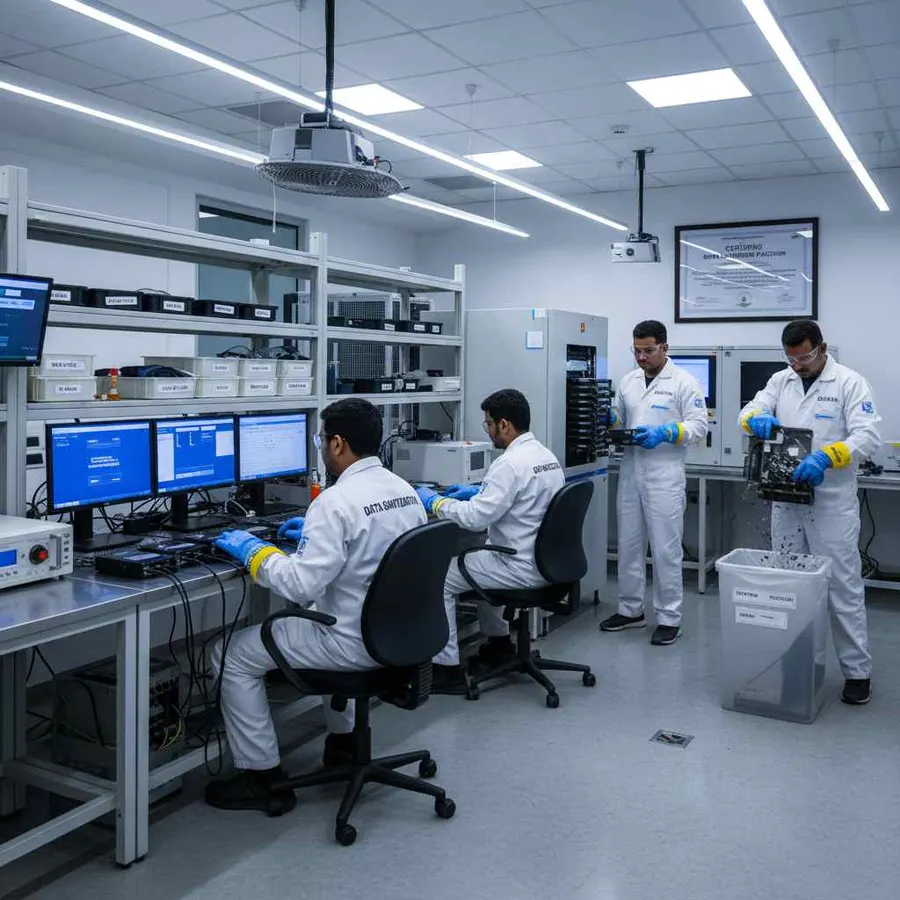
SSD Health Assessment Before Reuse
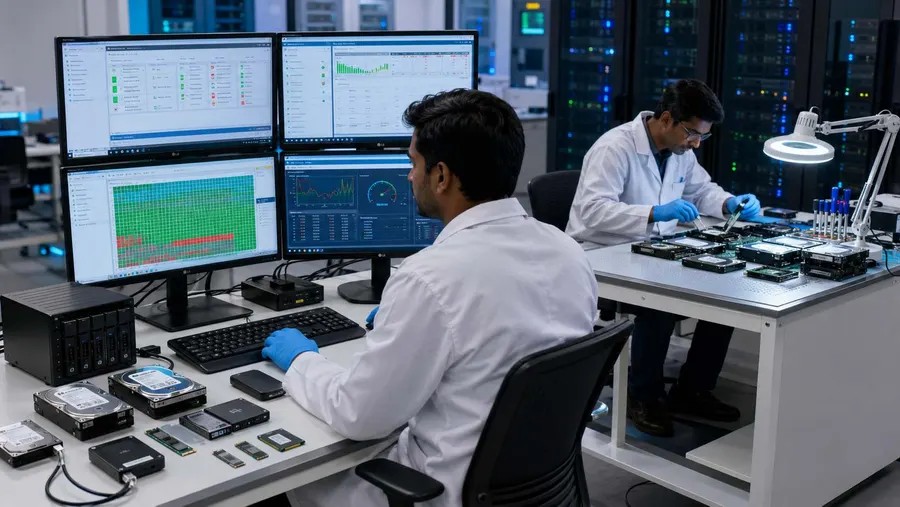
Data erasure and device condition are separate considerations.
An SSD can complete a sanitization operation and still require a technical condition assessment before reuse.
DSP can provide available information relating to:
- SMART Information
- Drive Health
- Error Conditions
- Media Status
- Storage Information
This helps organizations make two separate decisions:
Sanitization: Was the data erasure process completed and verified?
Asset Condition: Is the SSD suitable for another operational lifecycle?
Special SSD Cases
Some SSDs need additional assessment before processing.
Examples include:
- Self-encrypting SSDs
- TCG Opal configurations
- ATA password protection
- Frozen security states
- Firmware limitations
- Detection problems
- Failing flash
- Bad blocks
- Soldered or embedded storage
The correct action depends on the device's available capabilities.
A drive that cannot complete the required operation or verification should not automatically be treated as successfully sanitized.
SSD Erasure for ITAD, Reuse and Resale
Professional SSD wiping software can support multiple stages of the asset lifecycle.
ITAD
Erase supported SSDs during asset disposition and retain the processing record.
Reuse
Remove previous information before reallocating the SSD.
Refurbishment
Sanitize storage before preparing used devices for another deployment.
Resale
Document the completed erasure before the asset changes ownership.
Return
Process supported storage before returned or leased equipment leaves organizational control.
Retirement
Complete the approved logical erasure workflow and retain the resulting documentation.
Who Uses SSD Data Erasure Software?
Enterprise IT
For device refresh, redeployment, reuse and retirement.
Read MoreITAD and Refurbishers
For SSD wiping, verification, reporting and asset documentation.
Data Centres
For enterprise SSD retirement and infrastructure upgrades.
Read MoreGovernment and Defence
For controlled media-sanitization workflows.
Banking and Finance
For storage-media lifecycle management.
Healthcare
For secure retirement of data-bearing equipment.
Read MoreMSPs and Resellers
For professional SSD data erasure workflows across managed assets.
SSD Data Sanitization Standards and Technologies
The SSD sanitization process may involve recognized standards and technology-specific operations, including:
- NIST SP 800-88 Rev. 2
- IEEE 2883
- ATA Secure Erase
- ATA Sanitize
- NVMe Sanitize
- Cryptographic Erase
- TCG security technologies
The appropriate technique should always be matched to the actual SSD, its available capabilities, the sensitivity of the information and the organization's policy.
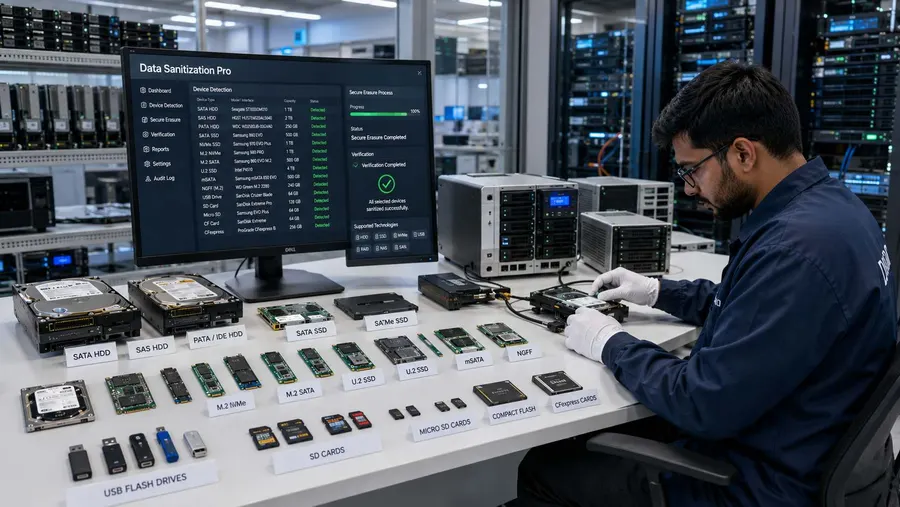
Certified and Auditable SSD Sanitization
Data Sanitization Pro combines three important parts of the process:
Secure SSD Erasure
Use appropriate logical sanitization methods for supported SSD configurations.
Verification
Record the applicable result of the completed operation.
Certification and Reporting
Generate self-certified, auditable SSD erasure reports and certificates.
Where applicable, ISO or STQC credentials can be referenced according to their exact documented scope.
A software-generated SSD data erasure certificate is documentation of a completed sanitization job. It should not be confused with the scope of a separate third-party certification or assessment.
Why Choose Data Sanitization Pro?
Professional SSD Erasure Workflow
Bring device detection, erasure, verification and documentation into one process.
25 Data Erasure Methods
Choose an appropriate supported method for the drive and organizational requirement.
Logical Data Destruction
Remove stored information while retaining the physical SSD.
Verification
Record the outcome of the completed operation.
Auditable Certificates
Generate self-certified SSD data erasure reports and certificates.
Up to 8 Drives
Process multiple selected drives simultaneously in supported configurations.
USB and PXE
Support system-drive erasure and larger deployment workflows.
Offline Operation
Support controlled environments with restricted connectivity.
Drive Health Information
Review available health and error information before reuse.
30-Day Free Trial — Test Your SSDs Before You Buy
You can test Data Sanitization Pro on your own supported SSD environment before purchasing.
Test the SSD Erasure Workflow
Evaluate:
- SSD Detection
- SATA / NVMe / SAS Processing
- Erasure Methods
- Verification
- Reports & Certificates
- Drive Health Information
- USB Boot
- PXE Deployment
Test Before You Buy
Run the software in your own environment and evaluate how it fits your SSD processing workflow.
Start Your Free Trial
- 30 Days
- Test Before You Buy
Frequently Asked Questions
What is SSD data erasure software?
SSD data erasure software is designed to remove stored information from supported solid state drives through an appropriate logical erasure process. A professional workflow can include device detection, capability assessment, erasure, verification and reporting.
Is formatting an SSD enough for secure data erasure?
Formatting changes the logical storage structure and should not automatically be treated as a complete SSD sanitization process. SSD architecture and controller-managed storage make the choice of erasure method important.
Why is SSD erasure different from HDD erasure?
SSDs use NAND flash and controller-managed data placement, including the Flash Translation Layer and wear leveling. Because of this, an HDD-style overwrite should not automatically be assumed to provide the same result on every SSD.
Does Data Sanitization Pro support NVMe SSD erasure?
Yes. DSP supports sanitization workflows for supported NVMe SSD configurations. The available operation depends on the NVMe controller, firmware, connection path and device capabilities.
Can DSP erase SATA SSDs?
Supported SATA SSDs can be processed using applicable erasure workflows based on the device's available capabilities.
Can DSP process M.2, U.2 and U.3 SSDs?
Supported M.2, U.2 and U.3 configurations can be processed where the storage device is correctly detected and exposes the required capabilities. M.2 is a form factor, so the actual interface should be identified before sanitization.
Does DSP generate an SSD data erasure certificate?
Yes. Data Sanitization Pro can generate self-certified, auditable SSD data erasure reports and certificates containing relevant device, method, verification and processing information.
How many SSDs can Data Sanitization Pro process simultaneously?
DSP supports up to 8 selected drives simultaneously in supported configurations. Actual performance depends on the storage interfaces, controllers, system resources and SSD performance.
Is there a free trial for SSD erasure software?
Yes. Data Sanitization Pro offers a 30-day free trial so organizations can test the software on supported SSD hardware before purchasing.
Where People Go from Here
Hard Disk Drive Sanitization
Where overwriting is the right tool, because every sector really can be written to.
Read MoreErasing an SSD
The longer explanation of why overwriting flash misses data, written for people who have to justify the choice.
Read MoreData Erasure Standards
Every method the software runs, with its pass count and the standard it implements.
Read MoreSecure Your SSDs Before Reuse, Resale or Retirement
Data Sanitization Pro (DSP) provides professional SSD data erasure and sanitization software for supported SATA, NVMe, PCIe, M.2, U.2, U.3, SAS and enterprise SSD configurations.
Permanent data erasure, a checked result and a certificate for every drive.