












CertifiedNIST SP 800-88 Rev. 2 · DoD 5220.22-M · IEEE 2883

Make in India · 25+ Erasure Standards

Data Erasure& Data WipingSoftware

Erase. Verify. Certify.Certified Data Erasure You Can Prove.

Data Sanitization Pro is Make in India data erasure software, built for IT teams, ITAD companies and data centres. Use it to wipe data for good from HDDs, SSDs, NVMe drives, servers, laptops, USB media and other supported storage.

  1. Erase with 25+ standards including NIST 800-88
  2. Verify the result
  3. Get a PDF certificate for each drive
NIST
SP 800-88
DoD
5220.22-M
IEEE
2883
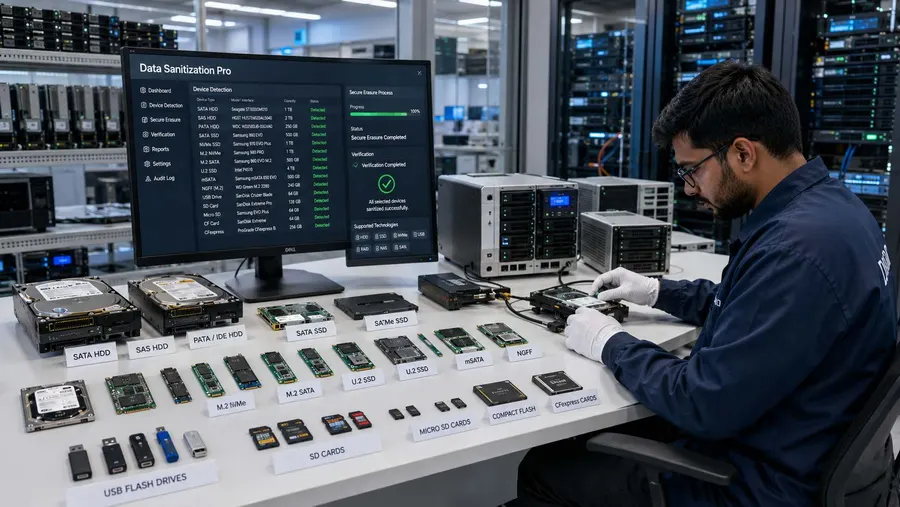
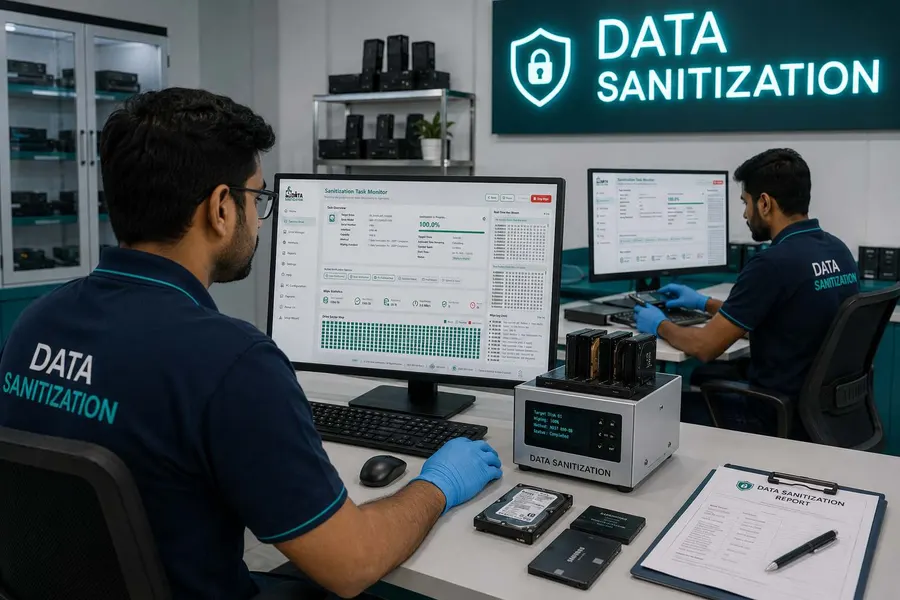
Data Sanitization consultant at a laptop
  • NISTSP 800-88
  • DoD5220.22-M
  • IEEE2883
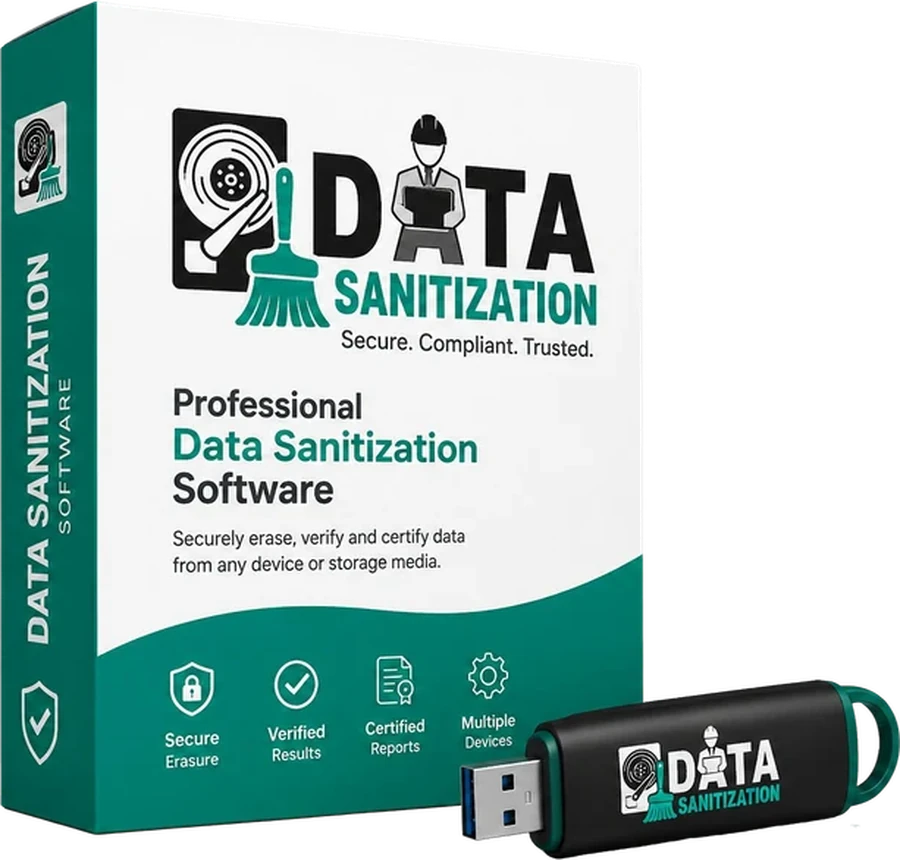
Data Sanitization Professional software box and bootable USB

Complete Data Erasure Solution

Secure Data Erasure for Every Storage Device

Choose the right erasure method, securely wipe your media, verify the results and keep clear records of every completed erasure.

  • Permanently Erase Data
  • Multiple Erasure Standards
  • Works Offline
  • Detailed Reports
  • Supports All Devices

Data Sanitization Pro is Make in India data erasure software, built for IT teams, ITAD companies and data centres. Use it to wipe data for good from HDDs, SSDs, NVMe drives, servers, laptops, USB media and other supported storage.

Erase with 25+ standards including NIST 800-88, verify the result and get a PDF certificate for each drive.

  • Verified
  • Offline
  • Certificate Per Drive

Works with All Storage Devices

Laptops
HDD
SSD
Desktops
Servers
ITAD

Data Erasure You Can Verify, With A Certificate For Every Drive

Erase. Verify. Certify.

Deleting files or formatting a drive is not the same as secure data erasure.

Data Sanitization Pro is designed to help organizations securely and permanently sanitize storage devices before they are reused, redeployed, resold, refurbished, returned, recycled or retired.

The software combines data wiping, verification, reporting and device assessment in one workflow, helping you maintain evidence of what happened to every processed device.

Erase

Securely erase data from supported HDDs, SSDs, NVMe drives, servers, USB drives, memory cards and other storage media.

Verify

Check the result after the erasure process and record the verification outcome.

Certify

Generate detailed data erasure reports and certificates containing important device and process information.

Hardware & Platforms

Works with Every Major Brand

See Supported Media
  • Microsoft
  • Apple
  • Dell
  • IBM
  • Samsung
  • Seagate
  • Western Digital
  • Toshiba
  • Hitachi
  • VMware
  • Synology
  • Linux

Multiple Data Erasure Standards

Choose the Right Data Wiping Method for Your Requirements

Different organizations have different security policies and data sanitization requirements. Data Sanitization Pro provides 25+ data erasure methods to support different workflows.

Supported methodologies include:

  • NIST SP 800-88 Clear
  • NIST SP 800-88 Purge
  • DoD 5220.22-M
  • HMG IS5
  • IEEE 2883
  • DSP-DPDP India and NTLB, which use the drive's own Sanitize command on capable, directly attached drives
  • Gutmann
  • And more: 26 methods in all

Pick the data erasure standard your policy asks for, run the wipe, check the result and keep the report. Each method is explained on the erasure standards page.

Multiple Data Erasure Standards

Works Offline When Security Matters Most

Offline Data Erasure Without Internet Dependency

Some organizations cannot connect sensitive systems to the internet during data sanitization.

Data Sanitization Pro supports offline data erasure. Boot one PC from a USB stick or wipe a whole floor of PCs over your own network with PXE boot. No internet connection is needed during the wipe.

This can be useful for:

  • Government organizations
  • Defence environments
  • High-security facilities
  • Air-gapped environments
  • Sensitive enterprise operations
  • Controlled IT asset processing

Your data erasure process can remain within your own controlled environment.

Works Offline When Security Matters Most

Detailed Data Erasure Reports & Certificates

Keep Evidence for Every Erasure Job

A completed data wipe should not leave you wondering what happened to the device.

Data Sanitization Pro records important information about the erasure and verification process and generates detailed reports for documentation and audit purposes.

Reports can include:

  • Device identification
  • Serial number
  • Storage capacity
  • Selected erasure method
  • Verification result
  • Start and completion time
  • Operator information
  • System information
  • Audit metadata

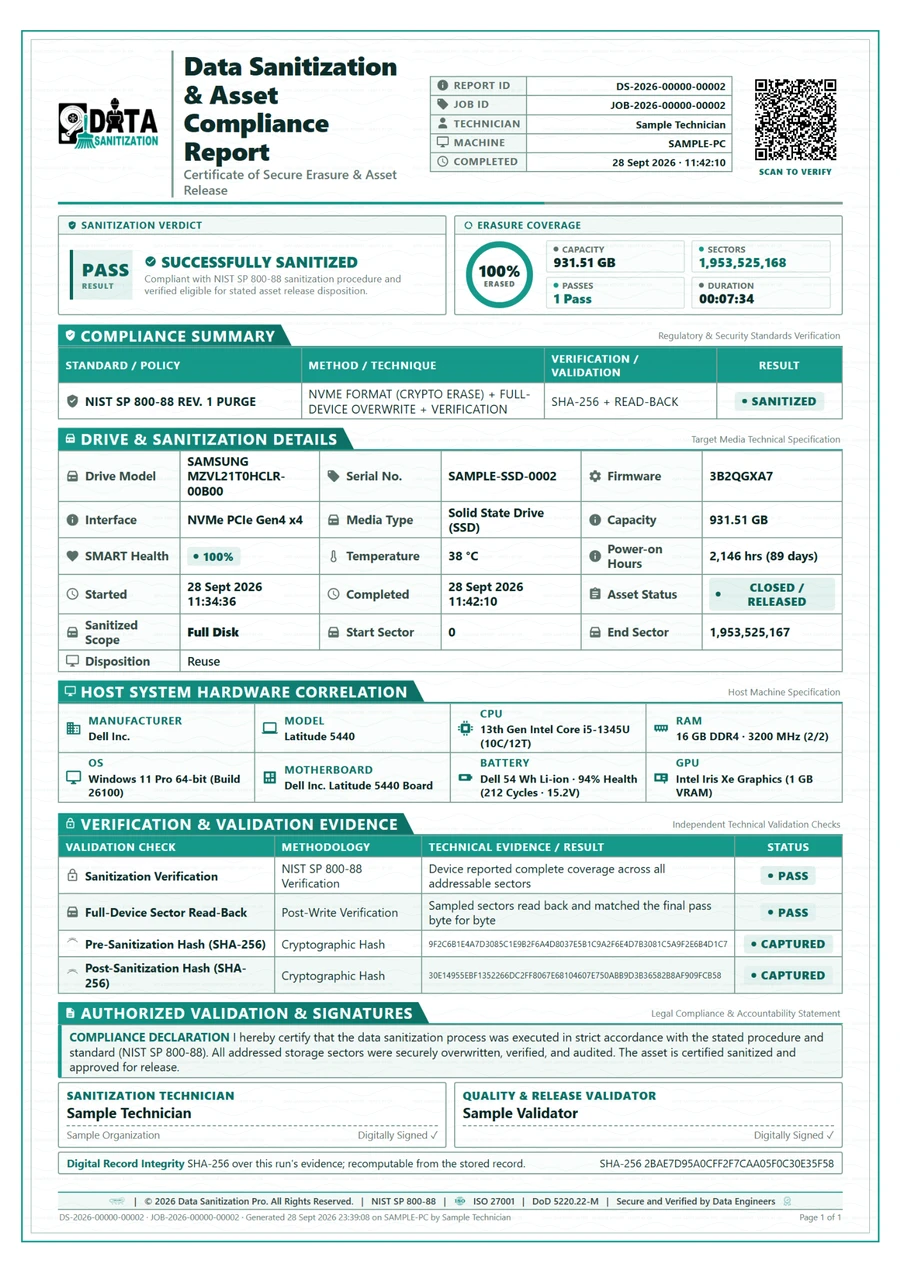
Each drive gets its own PDF certificate. You can see a sample data erasure report and check any certificate on the Validate Certificate page.

Detailed Data Erasure Reports & Certificates

Real-Time Data Erasure Monitoring

Know What Is Happening During Every Wipe

Data Sanitization Pro provides visibility into the active data erasure process.

Monitor:

  • Device status
  • Erasure progress
  • Transfer rate
  • Elapsed time
  • Estimated completion
  • Verification status
  • Active processes
  • Event logs
  • Operational messages

This gives operators a clearer view of the data wiping process, especially when handling multiple devices.

Real-Time Data Erasure Monitoring

Storage Health Check & Drive Diagnostics

Erase Data. Check the Device. Make Better Asset Decisions.

Data sanitization is often part of a larger IT asset lifecycle. Before a device is reused or refurbished, organizations may also need to understand its storage condition.

Data Sanitization Pro provides storage health monitoring and drive diagnostic capabilities alongside data erasure.

SMART Drive Health

Review available information such as:

  • Drive health
  • Temperature
  • Power-on hours
  • Firmware
  • Model
  • Serial number
  • Reported errors
  • Performance information

Bad Sector Detection

Identify available information about:

  • Logical bad sectors
  • Physical bad sectors
  • Read errors
  • Sector status
  • Media health

This helps teams make more informed decisions about reuse, refurbishment, asset recovery or retirement.

One Platform. One Data Erasure Workflow.

From IT Assets to Verified Data Sanitization

Instead of using different tools for different parts of your asset workflow, Data Sanitization Pro brings key capabilities together in one platform.

  1. 01Identify the device
  2. 02Select the method
  3. 03Erase the data
  4. 04Verify the result
  5. 05Generate the report

What Makes Data Sanitization Pro Different?

Professional Data Erasure Software

Built specifically around secure data sanitization rather than simple file deletion or formatting.

25+ Erasure Methods

Choose from multiple recognized sanitization methodologies according to your requirements.

Read More

Offline Operation

Perform data erasure in environments where internet access is restricted or unavailable.

Verification

Record the outcome of the completed erasure process.

Certificates & Reports

Maintain detailed documentation for each processed device.

Read More

Storage Diagnostics

Review available drive health, SMART information, bad sectors and hardware details.

Make in India

Data Sanitization Pro is developed in India, providing a professional data sanitization platform for organizations managing sensitive IT assets.

How Data Sanitization Pro Works

  1. 01

    Identify

    Connect the supported storage device and review available device information.

  2. 02

    Select

    Choose the required data erasure standard or sanitization method.

  3. 03

    Erase

    Start the secure data wiping process.

  4. 04

    Verify

    Verify the erasure result and record the outcome.

  5. 05

    Report

    Generate the data erasure certificate or detailed report.

  6. 06

    Reuse, Redeploy or Retire

    Move the asset to the next stage of your IT asset lifecycle according to your organization's policy.

See the Certificate Before You Buy the Software

Know What Your Data Erasure Report Looks Like

Your data erasure process should produce more than a completed progress bar.

See how Data Sanitization Pro documents the device, erasure method, verification result, timestamps and other audit information in its data erasure certificate.

  • Data Erasure CertificatePass · Verified
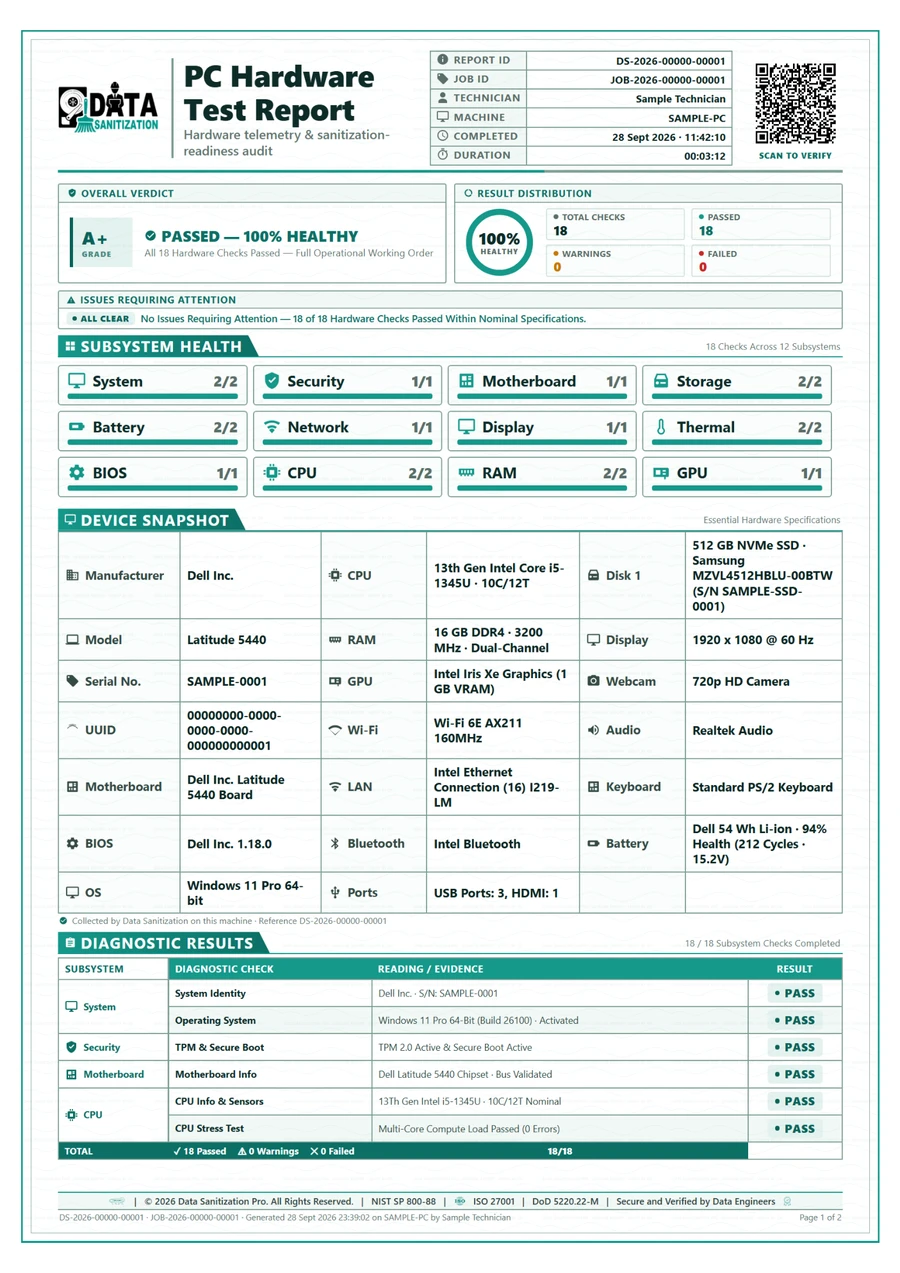
  • PC Hardware Test ReportGrade A+ · 18 of 18 Checks Passed
Sample PC Hardware Test Report, page oneSample Data Erasure Certificate, page one
From the blog

Recent Posts

What the standards actually say and what the media actually does.

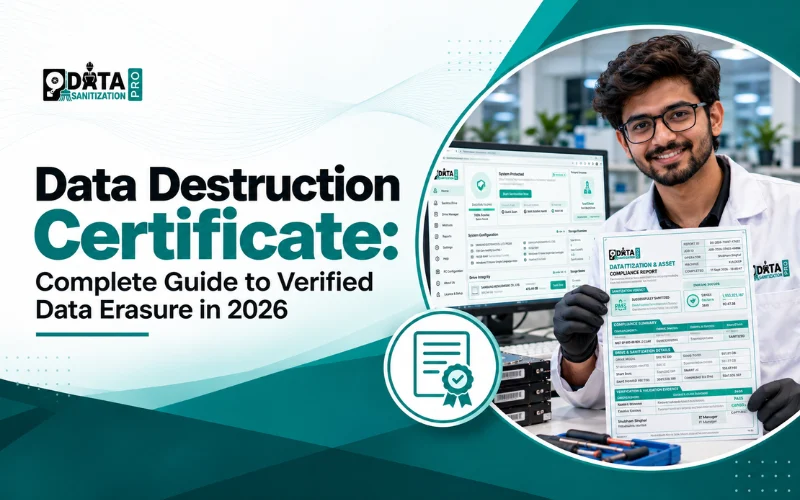
What Is a Data Destruction Certificate? Meaning and Format

What Is a Data Destruction Certificate? Meaning and Format

A data destruction certificate is a document that proves how the data on a device was erased or how the media was destroyed. Here is what it must include. It names the device, the method, the date and time and the verified result. It is useful for businesses, ITAD companies, e-waste recyclers, scrap dealers and electronics recyclers that handle old laptops, hard drives, SSDs and servers. Data Sanitization Pro helps organizations erase data from supported storage devices, verify results and generate detailed reports for record-keeping and audits. Learn what a data destruction certificate includes, how data erasure is verified and how to choose the right data sanitization software.

Read More
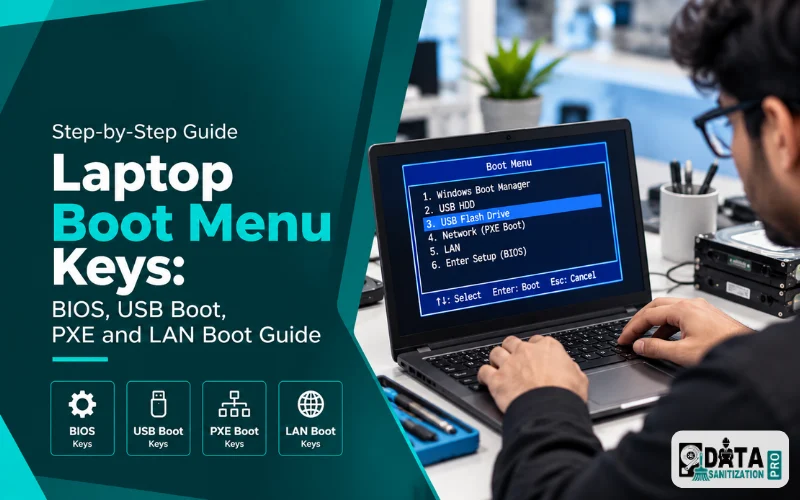

Laptop Boot Menu Keys: BIOS, USB Boot, PXE and LAN Boot Guide

Laptop Boot Menu Keys: BIOS, USB Boot, PXE and LAN Boot Guide

Find your laptop boot menu key: F12 on many Acer, Dell and Lenovo models, Esc then F9 on many HP laptops. Plus BIOS keys, USB boot and PXE network boot. Start by opening the Boot Menu or BIOS/UEFI settings; the correct key varies by manufacturer and model. This guide covers boot menu keys for popular brands, how to find your exact model’s key, USB boot and PXE/LAN boot. It also explains how these options support professional data sanitization workflows on compatible systems.

Read More

Frequently Asked Questions

What is Data Sanitization Pro?

Data Sanitization Pro is professional data sanitization and data erasure software designed to securely and permanently erase supported storage devices, verify the process and generate detailed reports.

What devices can Data Sanitization Pro erase?

The software supports a wide range of storage technologies, including HDDs, SSDs, NVMe drives, external drives, USB devices, memory cards, servers, RAID, DAS, NAS, SAN and other supported media.

Does it support SSD and NVMe data erasure?

Yes. Data Sanitization Pro supports SSD data erasure and NVMe data sanitization for supported devices and configurations.

Does Data Sanitization Pro work offline?

Yes. The platform supports offline data erasure, which is useful for restricted, controlled and air-gapped environments.

Which data erasure standards are supported?

Data Sanitization Pro supports multiple methodologies, including NIST SP 800-88 Clear, NIST SP 800-88 Purge, IEEE 2883, DoD 5220.22-M, HMG IS5, Gutmann, DSP-DPDP India and NTLB, 26 methods in all.

Does the software provide a data erasure certificate?

Yes. Data Sanitization Pro can generate detailed data erasure certificates and reports containing relevant device, erasure, verification and audit information.

Can I check hard drive health before reuse?

Yes. The platform includes storage health monitoring, SMART information, bad sector detection and hardware assessment capabilities.

Who can use data sanitization software?

Data Sanitization Pro is designed for enterprises, ITAD providers, recyclers, data centres, government and defence organizations, banking and finance, healthcare, education, MSPs and IT asset management teams.

What is a good BitRaser alternative in India?

Data Sanitization Pro is a Make in India alternative to BitRaser. It erases HDDs, SSDs, NVMe drives, servers and USB media to 25+ standards, including NIST SP 800-88. It verifies each drive and issues a PDF certificate for it. Licences are priced per device in rupees and you can test it first with a 30-day free trial. See pricing.

Which software can erase SSDs to NIST 800-88 with a certificate in India?

Data Sanitization Pro can and it is built in India. For SSDs and NVMe drives, its DSP-DPDP India and NTLB methods use the drive's own Sanitize command on capable, directly attached drives and the certificate then records NIST SP 800-88 Purge. It verifies the result and issues a PDF certificate with the serial number, method and result.

How can an ITAD company wipe drives in bulk and get erasure reports?

Wipe many drives at once on one bench or boot a whole floor of PCs over the network with PXE. Data Sanitization Pro tracks each drive on its own and issues one certificate per drive, so a failed drive stands out instead of hiding in a batch total. Read more on ITAD data erasure.

Which software can wipe laptops over the network with PXE boot?

Data Sanitization Pro can. Set up its PXE server and laptops and desktops boot the erasure environment from your network. Each one wipes its own drives and sends progress and certificates back to a shared folder. You do not install anything on the machines or carry a USB stick to every desk.

Which data erasure software helps with DPDP Act compliance?

Data Sanitization Pro helps with the erasure part of India's DPDP Act 2023. It wipes personal data from retired drives, verifies the wipe and keeps a certificate for each drive as evidence. The software alone does not make a company compliant. It supports your data disposal process. See data erasure compliance.

Does Data Sanitization Pro run on Windows Server?

Yes. The Windows app installs on Windows 10, Windows 11 and Windows Server 2019 or later (64-bit), with administrator rights. On a server it can erase all attached data drives at the same time, including virtual disks such as mounted VHD and VHDX files. To erase the drive Windows itself runs from, boot the machine from the DSP USB or over PXE.

Can it erase all connected drives at the same time?

Yes. Select the drives and press Start once. Every selected drive is erased at the same time and each one gets its own progress, verification and certificate. The software sets no fixed limit; speed depends on your ports, controllers and cables. The one exception is the Windows system drive while Windows is running from it.

Can it erase virtual disks?

Yes. Data Sanitization Pro lists the virtual disks attached to Windows, such as mounted VHD and VHDX files, next to the physical drives. It erases and verifies them the same way and gives each one its own certificate.

Tell us what you need

Get in Touch

Tell us what you need and we will get back to you.

Permanent data erasure, a checked result and a certificate for every drive.

Subscribe to our Newsletter

Product updates, new erasure standards and data protection news. Unsubscribe any time.