
Certified Pen Drive (USB) Data Sanitization Software
Data Sanitization Pro (DSP) is professional pen drive data erasure software designed to securely remove stored information from supported USB flash drives through a controlled, software-based data sanitization process.
Whether your organization uses pen drives, USB drives, USB flash drives, thumb drives, flash drives or USB sticks, these small storage devices can contain sensitive business, customer, financial, personal, project, backup or confidential information.
DSP provides a structured workflow for USB data erasure, secure wiping, device identification, verification, reporting and data erasure certificates.
It is designed for businesses, enterprise IT teams, ITAD companies, refurbishers, resellers, recyclers, government organizations and other teams responsible for removable storage.
Start Your 30-Day Free Trial
Test Data Sanitization Pro on your own supported USB storage before you buy.
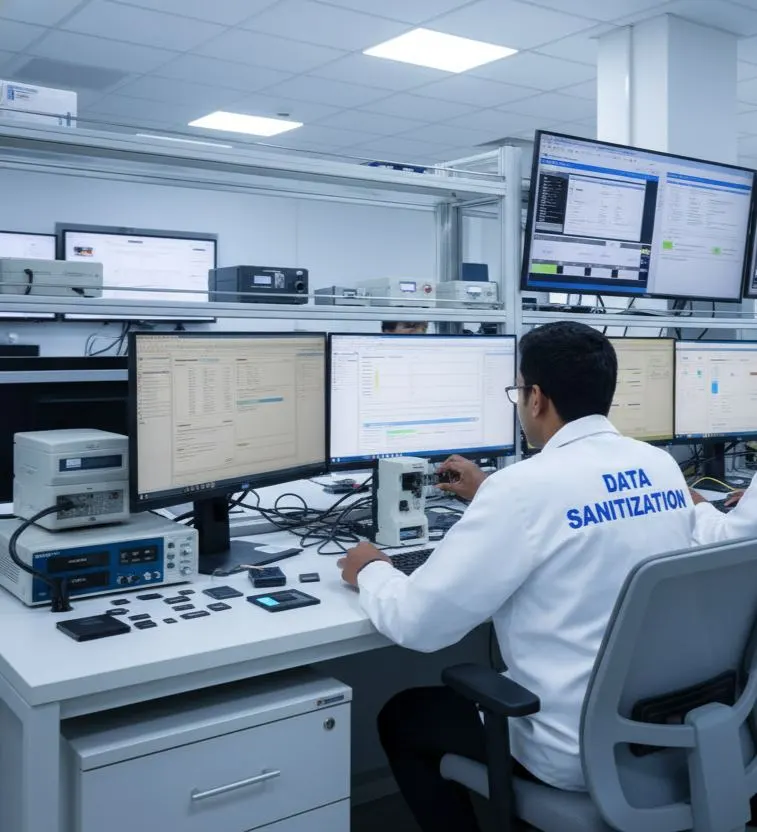
Pen Drive Data Erasure Software for Secure Data Removal
A USB pen drive is small, but the data stored on it may not be.
A single USB flash drive can contain customer files, confidential documents, employee information, financial spreadsheets, photographs, presentations, application data or backup files.
Deleting the files or performing a quick format changes the logical file structure. It should not automatically be treated as a complete media-sanitization workflow.
Professional pen drive erasure software provides a more controlled process:
- Detect
- Identify
- Select
- Erase
- Verify
- Certify
Data Sanitization Pro is designed to support this workflow for supported USB storage.
The software performs logical data erasure. It does not physically shred, crush, drill or destroy the USB device.
This makes the workflow suitable when the storage hardware may continue to another approved lifecycle stage.
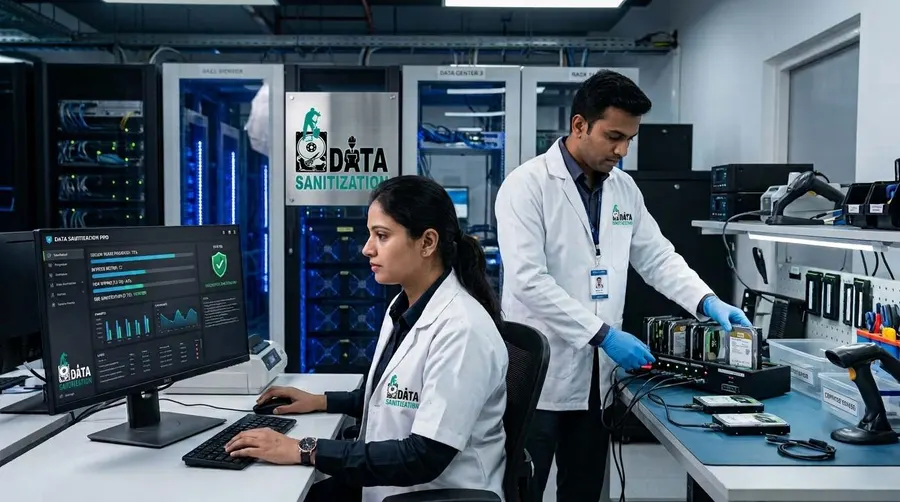
What Is Pen Drive Data Sanitization?
Pen drive data sanitization is the controlled process of removing stored information from a supported USB flash device using an appropriate erasure technique.
A pen drive may also be called a:
- USB drive
- USB flash drive
- Thumb drive
- Flash drive
- USB stick
These names commonly describe removable USB flash storage, although the exact hardware and controller can vary.
For professional USB drive sanitization, the important part is the physical storage device rather than the name printed on the enclosure.
A proper workflow should identify the device, determine what operations are available, select an appropriate method, complete the erasure, verify the result and retain the processing record.
Why USB Flash Drive Erasure Needs Careful Handling
USB flash drives use non-volatile flash memory.
Unlike a simple removable folder, the actual storage behavior depends on the device controller and flash-management architecture.
Different USB drives can expose different capabilities.
Some may provide limited device information. Some may not expose a reliable device-level sanitization command. Others may support operations that vary according to the controller or firmware.
Because of this, professional USB flash drive data erasure should not be treated as nothing more than deleting files and formatting the drive.
Data Sanitization Pro uses a controlled workflow so the selected operation and its result can be documented.
Data Sanitization Pro for Pen Drive Erasure
DSP is designed for organizations that need more than a basic pen drive wipe tool.
Pen Drive Data Erasure
Process supported USB flash storage through the selected logical data-erasure workflow.
25 Data Erasure Methods
DSP supports 25 data erasure methods for different storage technologies and organizational requirements.
Secure USB Drive Wiping
Use a controlled erasure workflow instead of relying only on file deletion or quick formatting.
Verification
Record the applicable result after the erasure process.
Self-Certified Certificates
Generate self-certified, auditable data erasure reports and certificates for completed jobs.
Device Identification
Available device details can include:
- Manufacturer
- Model
- Capacity
- Serial Number
- Interface
- Device Status
Not every pen drive exposes a serial number. When an identifier is unavailable, the available device information should be used for traceability rather than assuming an identifier exists.
Multi-Drive Processing
DSP supports processing up to 8 selected drives simultaneously in supported configurations.
Offline Operation
Use supported offline workflows in controlled environments.
How Pen Drive Data Erasure Works
- 01
Connect the USB Drive
Connect the supported pen drive or USB flash drive to the sanitization system.
- 02
Detect the Device
DSP identifies the available USB storage device.
- 03
Confirm the Device
Available information can include:
- Manufacturer
- Model
- Capacity
- Serial Number
- Device Status
Confirming the intended physical device before processing helps reduce asset-selection errors.
- 04
Assess Available Operations
The available device capabilities are considered before selecting the erasure workflow.
- 05
Erase the Data
DSP performs the selected logical data erasure process.
- 06
Verify the Result
The completed operation is checked using the applicable verification workflow.
- 07
Generate the Record
DSP can generate the corresponding report or pen drive data erasure certificate.
The complete process becomes:
- Identify
- Erase
- Verify
- Certify
USB Drive Erasure Software for Pen Drives
A USB drive erasure software workflow is useful when organizations have removable storage moving through different users or asset stages.
Common situations include:
- Employee device replacement
- Office equipment refresh
- USB drive reassignment
- Customer returns
- Promotional USB collection
- IT asset retirement
- Refurbishment
- Resale preparation
Instead of treating every USB drive as an ordinary file-storage device, the organization can use a structured process for the physical media.
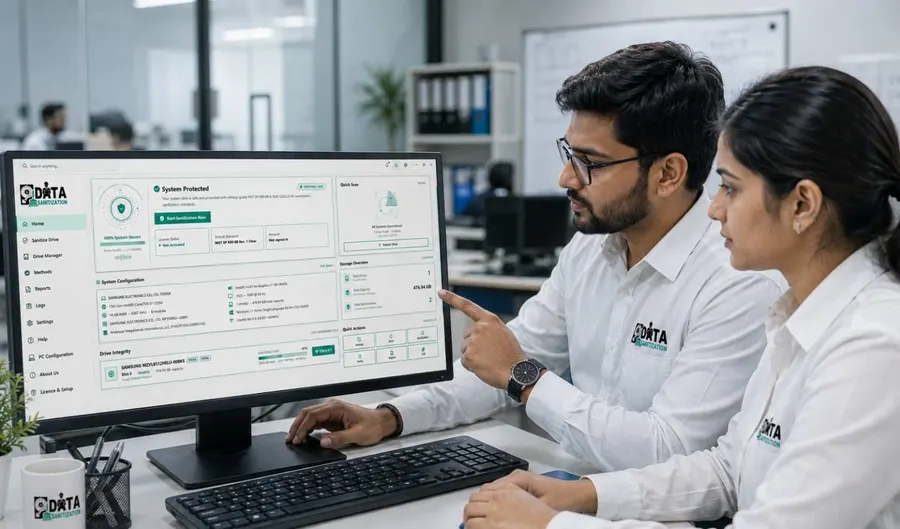
USB Flash Drive Wiping
USB flash drive wiping can refer to several different ways of removing information.
The appropriate approach depends on the storage device and available capabilities.
Data Sanitization Pro supports multiple data-erasure methods and is designed to keep the operation separate from verification and reporting.
A typical workflow is:
- Erase
- Read/Check
- Verify
- Document
This helps prevent a common problem: treating a completed erase command as automatic proof that the required sanitization result has been achieved.
Secure Erase for Pen Drives and USB Drives
The phrase secure erase can mean different things depending on the device.
Some USB flash storage devices expose limited controller functionality and may not provide the same device-level operations available on enterprise SSDs or hard drives.
For this reason, the correct process should be based on the actual device.
DSP can assess supported USB storage and use the applicable logical data-erasure workflow rather than assuming every pen drive supports the same operation.
Where the required erasure cannot be reliably completed or verified, the device should not be represented as successfully sanitized.
Pen Drive, Thumb Drive and USB Stick Support
The same physical category can appear under several names.
Pen Drive
Common consumer and business term for a USB flash drive.
USB Drive
General term for a storage device connected through USB.
USB Flash Drive
Describes removable USB storage based on flash memory.
Thumb Drive
Another common term for a small USB flash storage device.
USB Stick
Common everyday term for removable USB flash media.
Data Sanitization Pro focuses on the actual storage device and its available capabilities rather than simply the terminology used to describe it.
USB-A and USB-C Flash Drives
Modern USB flash drives may use different connector types.
USB-A
Common on desktops, laptops, workstations and older systems.
USB-C
Increasingly common on newer computers, laptops, mobile devices and accessories.
The physical connector does not itself determine the sanitization method.
The underlying flash-storage device, controller, firmware and system connection determine what can be processed.
External Enclosures and USB Storage Adapters
Not every USB-connected storage device is a pen drive.
USB can also be used to connect:
- External HDDs
- External SSDs
- USB storage adapters
- Drive enclosures
For this page, the primary target is USB flash storage / pen drives.
When a USB enclosure contains an HDD or SSD, the underlying storage technology should be treated according to its own sanitization requirements.
For detailed HDD and SSD processing, use the relevant storage-specific pages.
Pen Drive Data Erasure for Business
Businesses often accumulate USB storage over time.
Examples include:
- Employee-issued USB drives
- Backup USB devices
- Marketing USB sticks
- Customer-returned drives
- Conference giveaway drives
- Temporary project storage
- Contractor-issued media
A professional business USB drive erasure workflow can help standardize what happens before those devices are reused, transferred, refurbished or retired.
DSP provides the software workflow for supported devices together with verification and documentation.
Enterprise USB Data Erasure
Enterprise environments may have large numbers of removable storage devices moving through their asset lifecycle.
A structured enterprise USB drive erasure workflow can help organizations:
- Identify
- Process
- Verify
- Document
This is useful for:
- Hardware refresh programs
- Employee offboarding
- IT asset retirement
- Storage reuse
- Refurbishment
- Resale
- Internal asset transfers
Device-level records can make it easier to associate the completed erasure with the physical USB storage device.

Pen Drive Erasure for ITAD and Refurbishment
USB flash drives are easy to overlook during IT asset disposition (ITAD).
An ITAD operation may receive:
- Pen drives
- USB sticks
- USB flash drives
- Portable flash media
- Mixed removable storage
Data Sanitization Pro can support a structured ITAD pen drive erasure workflow for supported devices.
The process can be integrated into broader asset processing:
- Asset Intake
- USB Identification
- Data Erasure
- Verification
- Certificate
- Reuse / Resale
This provides a clearer connection between the physical device and the documented result.

Bulk USB Drive Data Erasure
When an organization needs to process multiple removable drives, individual records become important.
Data Sanitization Pro supports up to 8 selected drives simultaneously in supported configurations.
This can help with:
- ITAD batches
- Office refresh projects
- Device returns
- Refurbishment
- Resale preparation
- Internal storage collection
Actual processing performance depends on the USB controller, available ports, shared bandwidth, host hardware, device performance and system resources.
Multiple connected drives may not process at identical speeds.

USB Data Erasure Verification
Verification is an important part of professional USB data erasure.
The objective is not simply to start the process.
Data Sanitization Pro can maintain relevant information such as:
- Device type
- Manufacturer
- Model
- Capacity
- Serial number where available
- Processing status
- Selected erasure method
- Verification result
- Start time
- Completion time
- Operator information
- Asset reference
Where a device does not expose a serial number, the available identifiers should be used for traceability.
This allows organizations to distinguish between:
Processed Successfully
and
Unable to Complete the Required Operation

Pen Drive Data Erasure Certificates
DSP can generate self-certified, auditable pen drive data erasure reports and certificates.
The documentation can connect:
- Asset
- USB Device
- Erasure Method
- Verification
- Result
A certificate or report can include relevant information such as:
- Manufacturer
- Model
- Capacity
- Serial number where available
- Device status
- Erasure method
- Processing details
- Verification status
- Processing timestamps
- Operator information
- Asset reference
- Certificate or report identification
This can support internal records, ITAD operations, refurbishment, resale and audit preparation.
Pen Drive Data Sanitization Standards
Data Sanitization Pro supports multiple erasure methods and can be used within an organization's media-sanitization program.
Depending on the selected workflow, the method library can include recognized methodologies such as:
- NIST-based sanitization workflows
- IEEE 2883-based methods
- DoD 5220.22-M
- HMG IS5
- Secure Erase
- Other supported organizational policies
The appropriate method should be selected according to the storage technology, device capabilities, information sensitivity and organizational requirements.
A single wiping method should not automatically be assumed to provide the same outcome for every USB flash device.
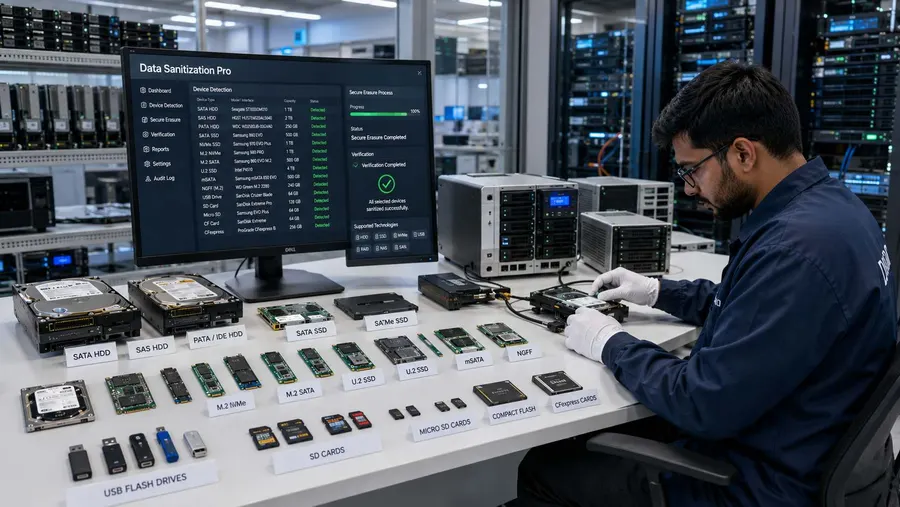
NIST and USB Flash Media Sanitization
NIST's media-sanitization guidance emphasizes matching the sanitization technique to the storage media and the sensitivity of the information.
For removable flash storage, this makes device assessment, appropriate method selection and verification important parts of the overall process.
Data Sanitization Pro provides the software workflow needed to process supported devices and document the result.
The current NIST publication is SP 800-88 Rev. 2, which superseded Rev. 1 in September 2025.
When a Pen Drive Cannot Be Reliably Erased
Not every USB flash drive exposes the same capabilities.
Additional assessment may be required when a pen drive:
- Is not detected
- Has controller problems
- Has firmware limitations
- Cannot execute the required operation
- Fails during processing
- Cannot complete verification
- Has significant physical damage
Consumer USB flash devices can expose limited information or capabilities.
When the required electronic erasure cannot be reliably completed or verified, the device should not be recorded as successfully sanitized.
Data Sanitization Pro provides software-based logical data erasure. Physical destruction of the pen drive is outside the scope of the software.

Pen Drive Data Erasure for Reuse and Resale
A successful data-erasure workflow can help organizations retain the value of suitable USB storage.
Reuse
Erase previous data before assigning the USB drive to another user.
Refurbishment
Process returned or used USB storage before preparation for another deployment.
Resale
Complete and document the erasure process before transferring ownership.
Retirement
Process the device according to the organization's approved sanitization policy and retain the resulting documentation.
The lifecycle can be:
- Erase
- Verify
- Certify
- Reuse / Resell
Why Choose Data Sanitization Pro for USB Erasure?
Pen Drive-Focused Workflow
Designed around removable USB flash storage and its specific processing requirements.
25 Data Erasure Methods
Multiple supported methods for different storage and organizational needs.
Logical Data Erasure
Remove stored information without physically destroying the USB hardware.
Verification
Record the outcome of the completed operation.
Self-Certified Certificates
Generate auditable reports and certificates for processed devices.
Up to 8 Drives
Process multiple selected drives simultaneously in supported configurations.
Offline Operation
Support controlled processing environments with restricted connectivity.
Device Identification
Capture available device information for asset-level traceability.
ITAD and Enterprise Use
Support removable-storage processing throughout reuse, refurbishment, resale and retirement workflows.
30-Day Free Trial — Test Your Pen Drives
You can test Data Sanitization Pro on supported USB flash storage before purchasing.
Evaluate the USB Erasure Workflow
Test:
- Pen Drive Detection
- USB Drive Erasure
- USB Flash Drive Wiping
- Erasure Methods
- Verification
- Reports & Certificates
- Multi-Drive Processing
- Offline Workflow
Test Before You Buy
Use the trial to evaluate the software with your own supported USB devices and processing environment.
Start Your Free Trial
- 30 Days
- Test Before You Buy
Start Free Trial
Frequently Asked Questions
What is pen drive data erasure software?
Pen drive data erasure software is designed to remove stored information from supported USB flash drives through a controlled logical erasure process. A professional workflow can include device identification, method selection, erasure, verification and reporting.
Is formatting a pen drive enough?
Formatting changes the logical structure of the storage device, but it should not automatically be treated as a complete media-sanitization process. The appropriate erasure workflow depends on the USB device and its capabilities.
Can Data Sanitization Pro securely erase USB drives?
Yes, supported USB flash drives can be processed using the applicable logical data-erasure workflow. The actual operation depends on the device, controller, firmware and available capabilities.
What is the difference between a pen drive, USB drive and thumb drive?
These terms are commonly used for small removable USB storage devices. The exact hardware can vary, so the actual storage device should be identified before selecting the sanitization method.
Can DSP process USB-A and USB-C pen drives?
Supported USB storage can be processed when the underlying device is correctly detected. The connector type itself does not determine the sanitization method.
Can multiple pen drives be erased at the same time?
Yes. Data Sanitization Pro supports up to 8 selected drives simultaneously in supported configurations. Actual performance depends on USB controllers, shared bandwidth, device performance and system resources.
Does DSP generate a pen drive data erasure certificate?
Yes. DSP can generate self-certified, auditable data erasure reports and certificates containing relevant device, processing and verification information.
Can a pen drive be erased offline?
Supported offline workflows allow data sanitization to be performed in controlled environments without continuous internet connectivity.
Is there a free trial?
Yes. Data Sanitization Pro offers a 30-day free trial so organizations can test the software on supported USB storage before purchasing.
Where People Go from Here
Solid State Drive Sanitization
The same flash physics at a larger scale, where the drive does implement a proper sanitize command.
Read MoreCertificate of Destruction
What a per-device certificate records, and why a batch letter cannot answer a question about one card.
Read MoreData Erasure Standards
Every method the software runs, with its pass count and the standard it implements.
Read MoreSecure Your Pen Drives Before Reuse, Resale or Retirement
USB flash drives are small, portable and easy to overlook—but the information stored on them can still be sensitive.