
- Home
- Solutions
- IT Lifecycle And Resale
- Marketplace Data Erasure
Data Sanitization for Marketplaces & Recommerce Businesses
Online marketplaces that sell, buy back or facilitate the resale of electronic devices deal with more than products and transactions.
Returned laptops, trade-in phones, used computers, refurbished devices and storage equipment can still contain personal or business data from the previous owner.
Before a device is resold, refurbished, exchanged, returned, recycled or sent to another user, that data should be securely handled.
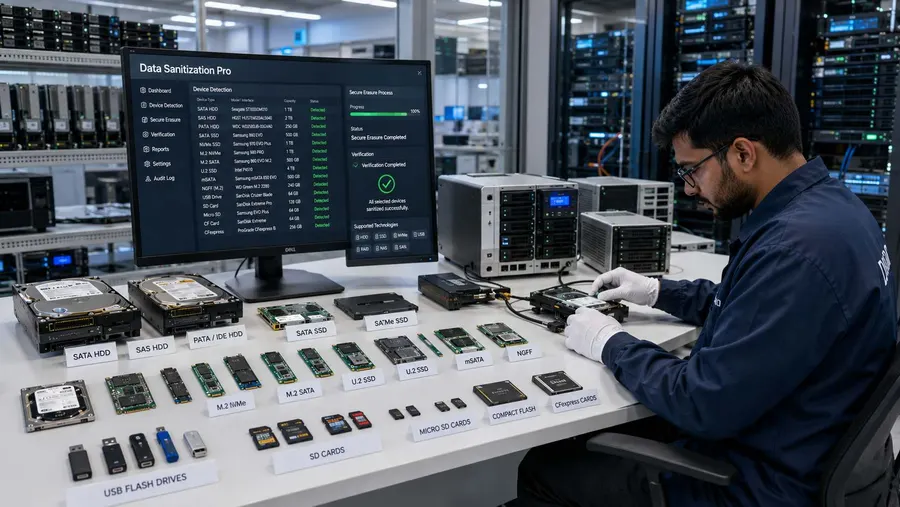
Data Sanitization Pro (DSP) helps marketplaces, recommerce businesses, refurbishers and electronics resellers perform controlled data erasure and data wiping on supported HDDs, SSDs and NVMe drives, verify the result and generate professional erasure reports and certificates.
- Identify
- Erase
- Verify
- Certify
- Secure Data Erasure
- Verification
- Certificates
- Asset Records
Overview
Marketplace data erasure software for used, returned and refurbished devices. Secure HDD, SSD and NVMe data, verify results and generate certificates.
Why Do Marketplaces Need Data Erasure?
A marketplace may receive devices from customers, sellers, businesses, trade-in programs or partner networks.
Those devices may contain:
- Personal photos and videos
- Documents and downloads
- Business files
- Customer information
- Email data
- Saved browser information
- Work-related files
- Local application data
- Other information belonging to the previous owner
When a device enters a resale or refurbishment workflow, simply deleting files is not the same as performing a controlled data sanitization process.
A professional workflow can help a marketplace make secure data wiping a defined part of its asset lifecycle.
What Is Marketplace Data Erasure?
Marketplace data erasure is the controlled sanitization of supported storage devices before electronic equipment moves to its next owner or lifecycle stage.
A typical marketplace workflow can look like:
- Device Received
- Identify Storage
- Erase Data
- Verify Result
- Generate Certificate
- Refurbish / Resell / Return / Recycle
This is particularly relevant for marketplaces handling:
- Trade-ins
- Customer Returns
- Used Devices
- Refurbished Electronics
- Buyback Programs
- Business Asset Sales
- Device Exchanges
Data Sanitization Pro for Marketplaces
Secure Data Wiping Software for Electronics Marketplaces
Data Sanitization Pro provides a dedicated software workflow for logical data erasure on supported storage devices.
It can help teams create a consistent process for used and returned equipment instead of depending on manual file deletion or basic formatting.
DSP supports:
- HDD
- SSD
- NVMe
25 Data Erasure Methods
DSP provides 25 data erasure methods for supported workflows.
The appropriate method should be selected according to the media type, device capabilities, organizational policy and the required sanitization outcome.
Verification After Erasure
Erasing data is only one part of the process.
DSP provides verification of completed erasure for supported workflows so operators can confirm and document the result.
Erasure Reports & Certificates
DSP can generate self-certified, auditable data erasure reports and certificates.
Depending on the workflow, records can include:
- Manufacturer
- Model
- Serial number
- Capacity
- Interface
- Drive type
- Firmware information
- Sanitization method
- Operation result
- Verification result
- Date and time
- Operator information
- Asset reference
This creates a stronger record between the physical asset and the data-erasure process.
How Does Marketplace Data Wiping Work?
- 01
Receive the Device
The marketplace receives a used, returned, traded-in or refurbished device.
- 02
Identify the Storage
Detect the supported storage device and capture important device information.
- 03
Assess the Device
Review available drive information and health-related details where supported.
- 04
Select the Erasure Method
Choose the sanitization method appropriate for the media and the organization's approved process.
- 05
Erase the Data
Run the logical data wiping process.
- 06
Verify the Result
Verify the completed operation and record the outcome.
- 07
Generate the Certificate
Create an erasure report or certificate for the processed device.
- 08
Move the Device to the Next Stage
The equipment can continue through the approved marketplace workflow:
- Refurbishment
- Quality Testing
- Listing
- Resale
or
- Return
- Recycling
- Retirement
Secure Data Erasure for Used Electronics
Used electronics can carry data from their previous owners long after the device has changed hands.
This is especially important for marketplaces dealing with:
Used Laptops
A returned laptop may still contain files from the previous user.
Refurbished Computers
Previous-owner data should be addressed before the refurbished computer reaches a new customer.
Used Desktops
Storage media may contain business or personal files even after the computer is no longer in active use.
Trade-In Devices
Devices accepted through buyback or trade-in programs can enter the refurbishment or resale pipeline.
Returned Electronics
Customer returns may need data sanitization before the product is restocked or reassigned.
Data Wiping Before Reselling a Device
A marketplace resale process may look like:
- Receive
- Inspect
- Repair
- Sanitize
- Test
- List
- Sell
The sanitization step helps separate the previous owner's information from the next owner's device experience.
DSP helps marketplace and refurbishment teams create a documented data erasure step before supported storage devices are moved toward resale.
Trade-In & Buyback Data Erasure
Trade-in programs create a constant flow of devices.
A customer may submit an old laptop or computer in exchange for:
Cash
Credit
Discount
Upgrade Value
Once the device enters the marketplace's possession, its previous data should be handled through an appropriate process.
DSP can support the data erasure stage before the device moves to refurbishment, resale or another approved destination.
Customer Return Data Sanitization
Returns can be one of the most overlooked areas in electronics marketplaces.
A device may be returned because of:
- Product exchange
- Warranty issue
- Upgrade
- Buyer cancellation
- Fault
- Refund
- Customer preference
Even when the hardware appears to be in normal condition, the storage device may still contain data.
Before that equipment is placed back into inventory, an appropriate data sanitization workflow can help reduce the risk of previous-owner information being carried forward.
Refurbished Electronics Data Erasure
Refurbishment businesses commonly perform several activities before resale:
Hardware Inspection
Repair
Cleaning
Operating System Preparation
Testing
Data Sanitization
Final Quality Check
Data erasure belongs before the product is released to its next owner where the storage media contains data from the previous user.
DSP can help refurbishment teams document that step and verify the completed result.
Marketplace Data Erasure for Sellers & Partners
Many marketplaces work with external sellers, refurbishers and logistics partners.
The marketplace may receive equipment from:
Individual Sellers
Corporate Sellers
Trade-In Partners
Refurbishment Vendors
ITAD Providers
Electronics Dealers
This makes process consistency important.
A documented data erasure workflow can help the marketplace define what should happen to storage devices before the asset is listed, transferred or released.
Certified Data Erasure for Marketplace Operations
A marketplace may need to answer practical questions about a processed device.
Was the device sanitized?
Which storage drive was processed?
What is the serial number?
Which sanitization method was used?
When did the process happen?
Was the operation completed successfully?
Was the result verified?
DSP helps answer these questions through device-level processing information and erasure reports or certificates.
This can be useful for internal asset records, refurbishment operations and customer-facing documentation where appropriate.
HDD, SSD & NVMe Data Sanitization
Different marketplace inventories can contain different generations of storage technology.
HDD Data Erasure
Traditional hard disk drives are still found in many used laptops, desktops and business machines.
DSP supports HDD erasure workflows for supported devices.
Read MoreSSD Data Erasure
SSDs use technologies such as NAND, controllers, firmware and wear-leveling mechanisms.
The correct sanitization method should take the storage technology and device capabilities into account.
DSP supports SSD data erasure workflows for supported devices.
Read MoreNVMe Data Erasure
Modern laptops and desktops frequently use NVMe storage.
When these devices enter a resale or refurbishment workflow, their previous data should be addressed before another user receives the equipment.
DSP supports NVMe data erasure workflows for supported devices.
Read MoreWhat Happens When an Old Drive Is Removed?
Consider a simple marketplace scenario:
A customer trades in an old laptop.
The marketplace receives the laptop.
The refurbishment team removes the storage device.
Now the drive may be:
Reused
Refurbished
Resold
Returned
Sent to ITAD
Recycled
Retired
Before the drive moves forward, the appropriate sanitization process should be applied.
DSP focuses on the logical data erasure stage.
It does not physically shred, crush, drill or destroy storage devices.
When physical destruction is required, the marketplace or downstream provider should use an appropriate physical destruction process.
Process Multiple Drives
Marketplaces and refurbishment centres can process a high number of returned or used devices.
DSP supports processing of up to 8 supported drives simultaneously, subject to hardware and system configuration.
This can be useful for batches involving:
- Returned laptops
- Trade-in computers
- Refurbished inventory
- Used desktops
- Bulk corporate assets
- Marketplace stock
- Partner-provided equipment
The actual throughput of a deployment will depend on the available hardware and operational setup.

Offline Data Erasure for Marketplaces
Not every processing environment needs or wants continuous internet access.
DSP supports offline operation, which can be useful for:
Refurbishment Centres
Warehouse Processing Areas
Secure Device Rooms
Marketplace Operations Centres
Restricted IT Environments
An offline workflow can help teams keep the sanitization process within a controlled operational environment.
USB & PXE Boot Workflows
DSP supports USB and PXE boot workflows.
This is useful when the system drive itself needs to be sanitized.
A Windows system drive that is actively being used by Windows generally cannot simply be erased from within the running operating system.
For suitable supported systems, operators can boot into an appropriate DSP environment using USB or PXE and perform the required sanitization workflow.
PXE deployment supports up to 64 computers by default, with higher configurations possible depending on deployment requirements.
Device Health & Assessment
Data sanitization is not always a standalone operation.
Marketplace and refurbishment teams may also need to understand the condition of the storage device.
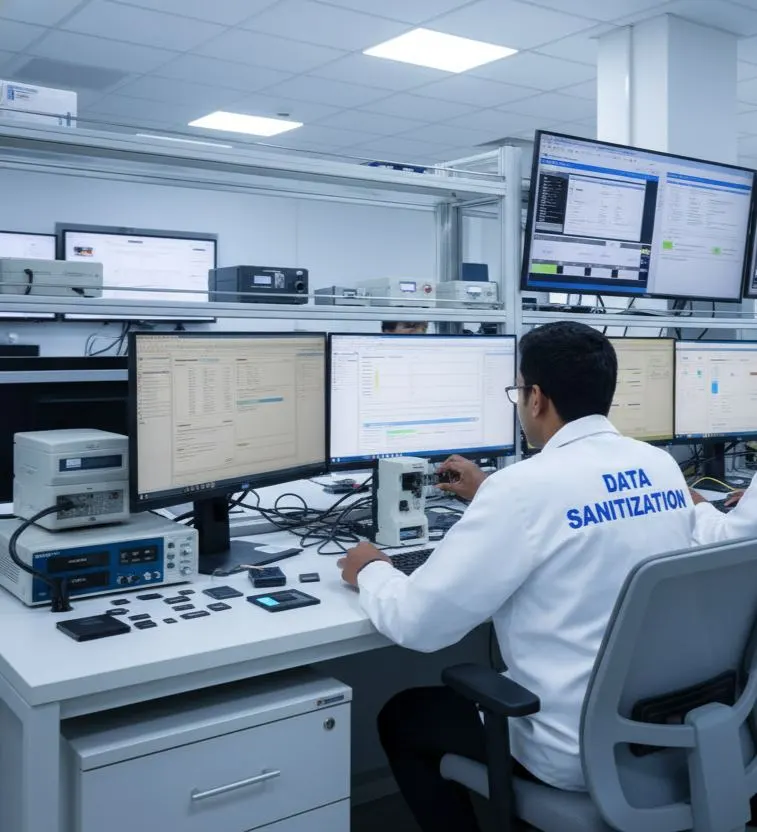
Where supported, DSP can provide information related to:
- SMART data
- Drive health
- Bad sectors
- Errors
- Device characteristics
This can help operators distinguish between normal processing, devices requiring further review and media that may need a different disposition.

Standards-Based Media Sanitization
A professional marketplace data-erasure process should be based on the storage technology, information sensitivity and the organization's approved sanitization policy.
The current NIST SP 800-88 Rev. 2, published September 2025, provides guidance for establishing a media sanitization program and selecting appropriate techniques and controls based on information sensitivity and media characteristics.
DSP is designed to support standards-based data erasure workflows, including method selection, verification and documentation.
The selected method should always be mapped to the actual media type and the organization's requirements.
Marketplace Data Erasure Worldwide
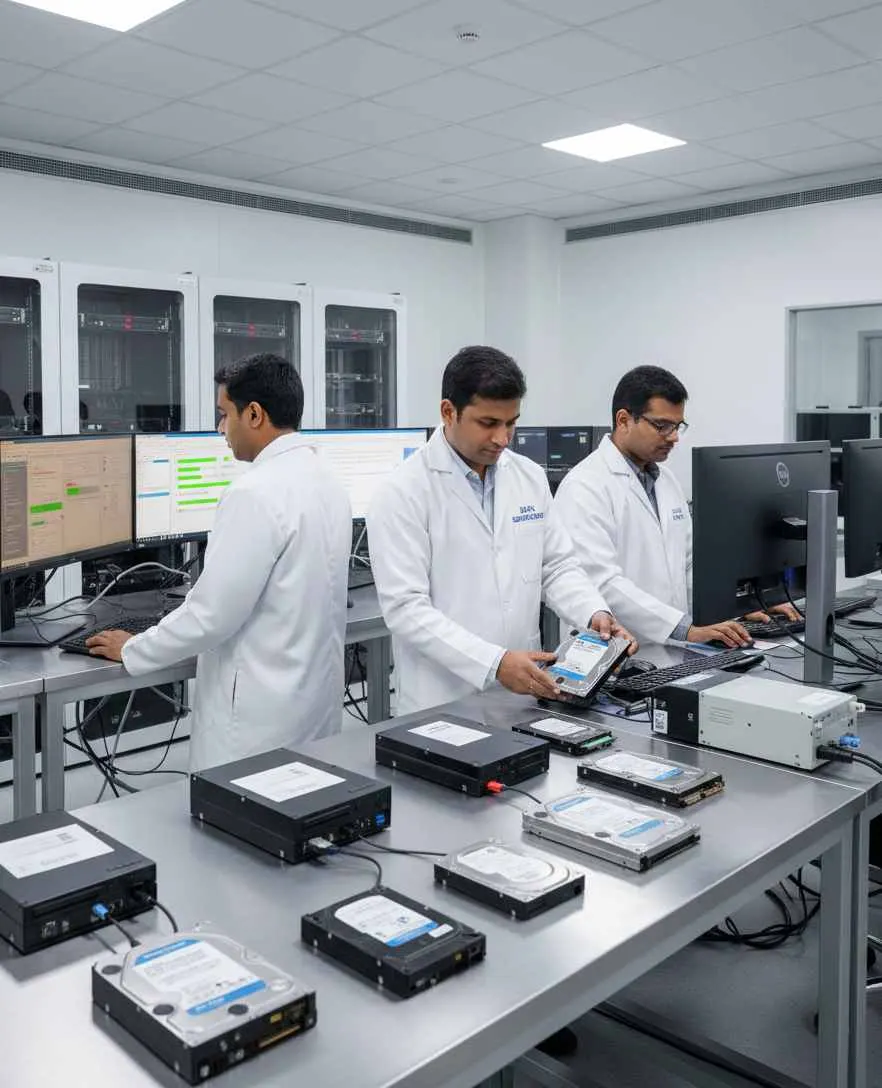
The used-electronics and recommerce market is global.
Marketplaces and refurbishment businesses may operate across:
India
United States
United Kingdom
Europe
Canada
Australia
Middle East
Asia-Pacific
Wherever used devices change ownership, one requirement remains important:
Protect the previous owner's data before the device reaches the next owner.
Data Sanitization Pro supports controlled data erasure workflows for marketplaces, refurbishers, resellers and electronics businesses worldwide.
Who Can Use Data Sanitization Pro?
Electronics Marketplaces
Sanitize supported devices before resale or redistribution.
Recommerce Businesses
Build secure data wiping into used-device processing.
Refurbishment Companies
Erase previous-owner data before refurbished products are sold.
Trade-In Platforms
Sanitize devices received through buyback and trade-in programs.
Electronics Resellers
Create a documented storage-device wiping process before resale.
Warranty & Return Centres
Process returned devices before they re-enter inventory.
Used Computer Dealers
Erase supported storage devices before transferring equipment to new owners.
Marketplace Warehouses
Add a controlled data sanitization stage to device processing.
Why Choose Data Sanitization Pro?
Professional Data Erasure Software
Built for controlled logical data sanitization workflows.
25 Erasure Methods
Multiple sanitization methods for supported storage devices and workflows.
Verification
Verify completed erasure rather than relying only on a basic process status.
Erasure Certificates
Generate self-certified, auditable erasure reports and certificates.
HDD, SSD & NVMe
Support multiple common storage technologies through one software workflow where supported.
Offline Operation
Suitable for controlled marketplace, warehouse and refurbishment environments.
USB & PXE Boot
Support flexible deployment and system-drive sanitization workflows.
Device-Level Records
Capture important device and process information for asset tracking and documentation.
Worldwide
Designed for marketplace, resale and refurbishment operations across international markets.
Marketplace Data Erasure FAQs
What is marketplace data erasure?
Marketplace data erasure is the controlled removal of data from supported storage devices before used or returned electronics are resold, refurbished, transferred, recycled or retired.
Why do marketplaces need data wiping?
Used and returned devices may still contain information from previous owners. Secure data wiping helps address that data before the device reaches another user.
Is deleting files enough before reselling a computer?
Deleting files or formatting a drive should not automatically be treated as a complete media-sanitization process. The appropriate method depends on the storage technology, device capabilities and required level of assurance.
Can DSP erase used laptop hard drives?
Yes. DSP supports HDD data erasure workflows for supported drives.
Can DSP erase SSD and NVMe drives before resale?
Yes. DSP supports SSD and NVMe data erasure workflows for supported devices.
Can marketplaces verify data erasure?
Yes. DSP provides verification of completed erasure for supported workflows.
Can DSP create a data erasure certificate?
Yes. DSP can generate self-certified, auditable reports and certificates containing relevant device and process information.
Can DSP be used for trade-in programs?
Yes. DSP can be incorporated into trade-in and buyback workflows where supported storage devices are sanitized before reuse, refurbishment or resale.
Can DSP work without internet access?
Yes. DSP supports offline data erasure workflows.
Can DSP erase a Windows system drive?
A Windows system drive actively being used by Windows generally cannot be erased from within the running operating system. USB or PXE boot can be used for suitable supported workflows.
Does DSP physically destroy storage devices?
No. DSP is software-based and focuses on logical data erasure and sanitization. Physical destruction requires a separate process.
Can marketplaces use DSP worldwide?
Yes. DSP is designed to support controlled data erasure workflows for marketplace, refurbishment and resale operations worldwide.
Related Solutions
ITAD & Recyclers
Controlled erasure inside the ITAD workflow
Read MoreData Centres
Erasure as part of server decommissioning
Read MoreMSPs & Resellers
Add professional data erasure to your IT services
Read MoreRefurbishers
Secure the data before reselling the device
Read MoreRepair Shops
Erase the drive before the device changes hands
Read MoreProtect Data Before the Product Reaches Its Next Owner
Before a device is resold, refurbished, exchanged, returned, reused or recycled, make secure data erasure part of the workflow.