
Sample Data Erasure Certificate
See the Actual PDF Before You Buy
You should be able to evaluate the evidence your software produces before committing to it.
Data Sanitization Pro provides a sample data erasure certificate PDF for review.
The sample demonstrates the type of information captured during an individual sanitization job, including device details, method, verification, health information, host-system details and validation information.
Both sample documents open in full, with no registration form in front of them.
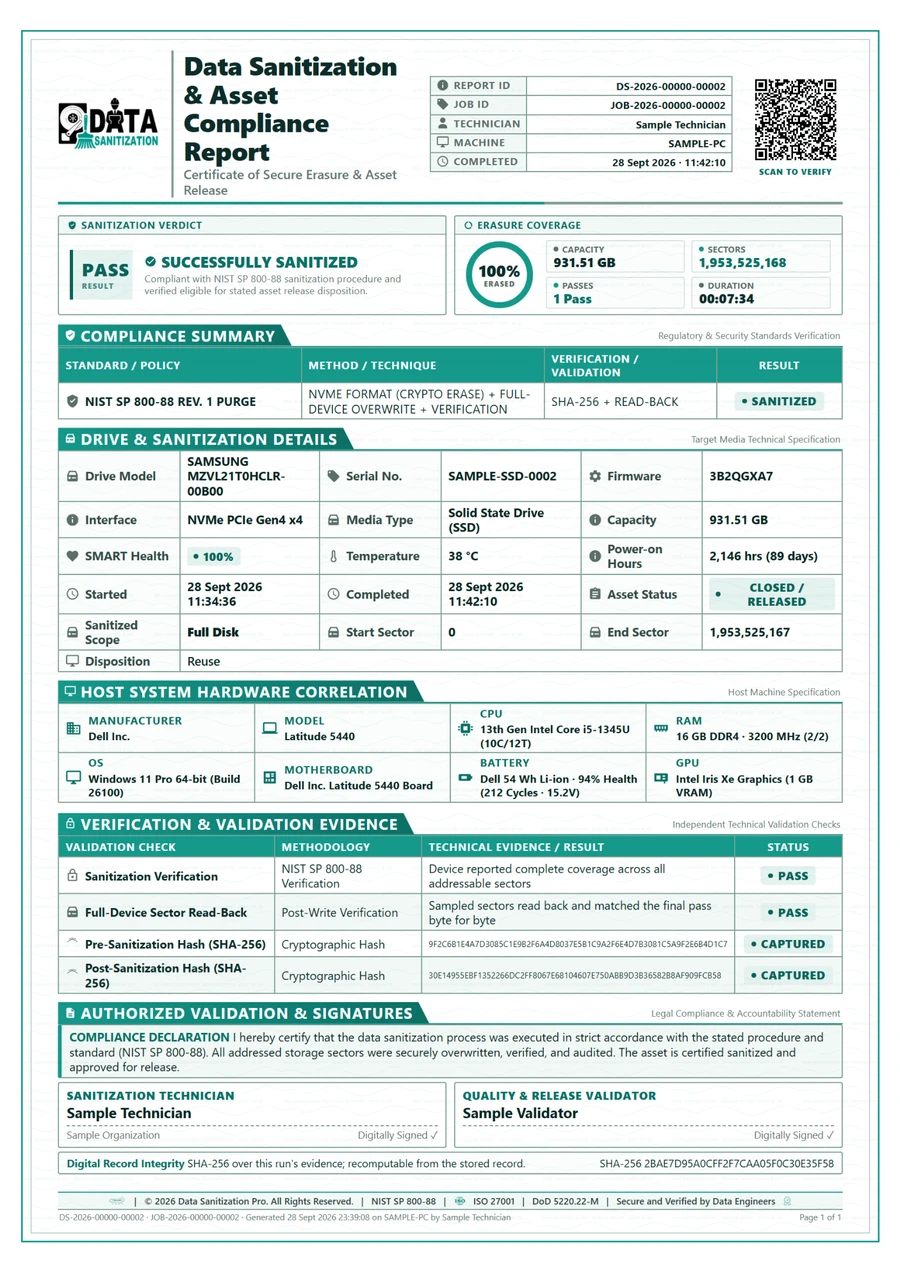 Open Full Size
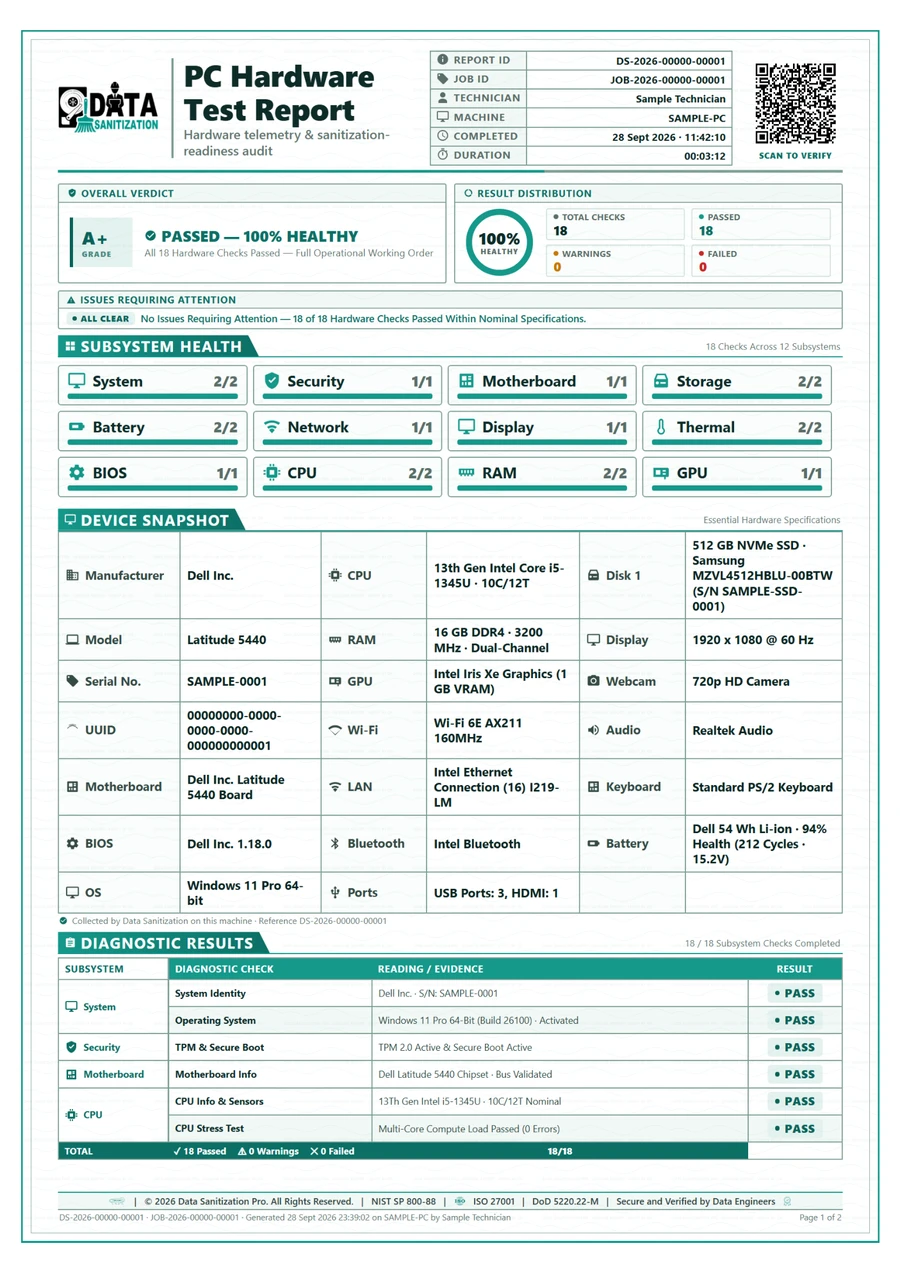 Open Full Size
Sample Includes
Data Erasure Certificate
- Report ID and Job ID
- Generated Timestamp
- Elapsed Duration
- Sanitization Status
- Standard and Method
- Verification Details
- Asset Information
- Drive Information
- SMART Information
- Operator Information
- Organization Information
- Host-Machine Details
- Validation Section
Sample Includes
PC Hardware Test Report
- Overall Verdict and Grade
- Result Distribution
- Subsystem Health
- Device Snapshot
- Diagnostic Results for Every Check
Latest Erasure Certificates
Certificates from recent runs of the software on actual drives. Names, serial numbers, IDs and the QR code are hidden; everything else is exactly as printed.
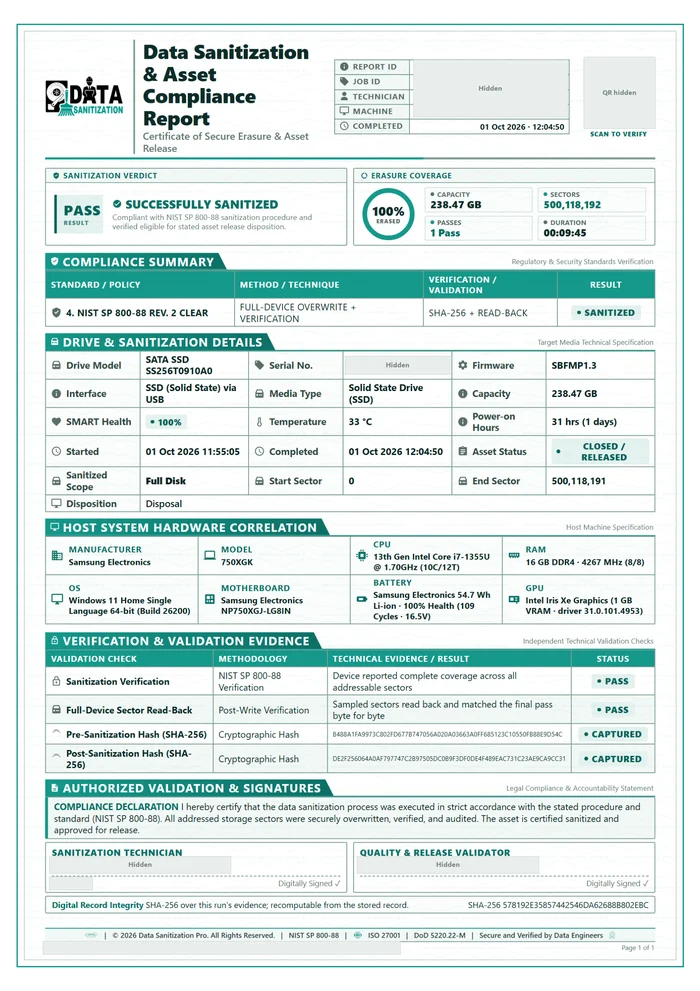 Pass · 100% ErasedNIST SP 800-88 Rev. 2 Clear01 Oct 2026 · 256 GB SATA SSD over USB · 1 Pass · 9 min 45 sOpen PDF
 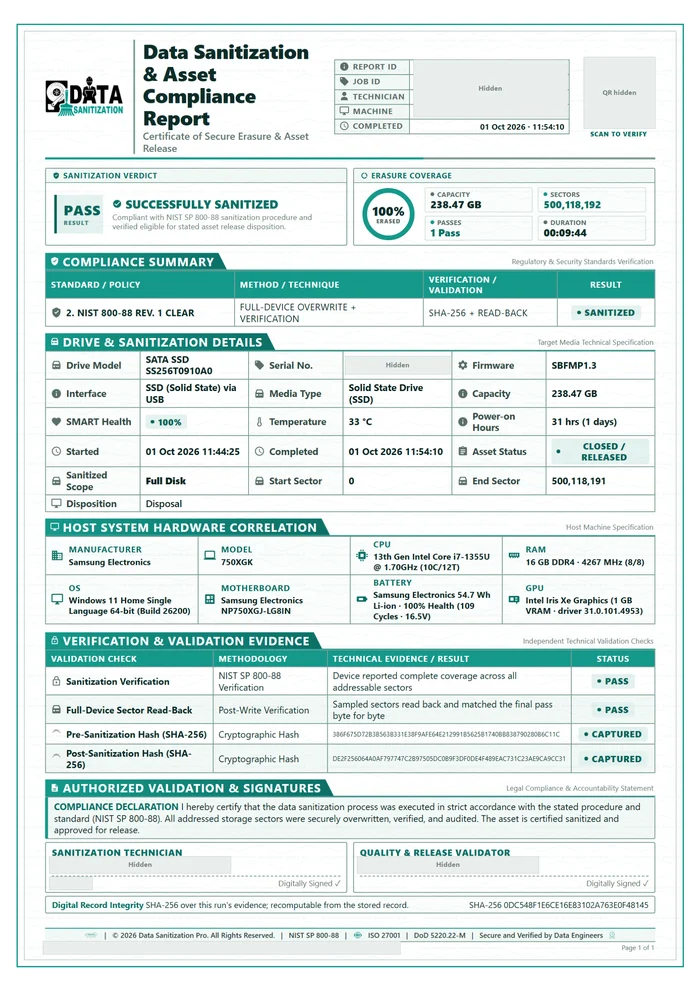 Pass · 100% ErasedNIST 800-88 Rev. 1 Clear01 Oct 2026 · 256 GB SATA SSD over USB · 1 Pass · 9 min 44 sOpen PDF
 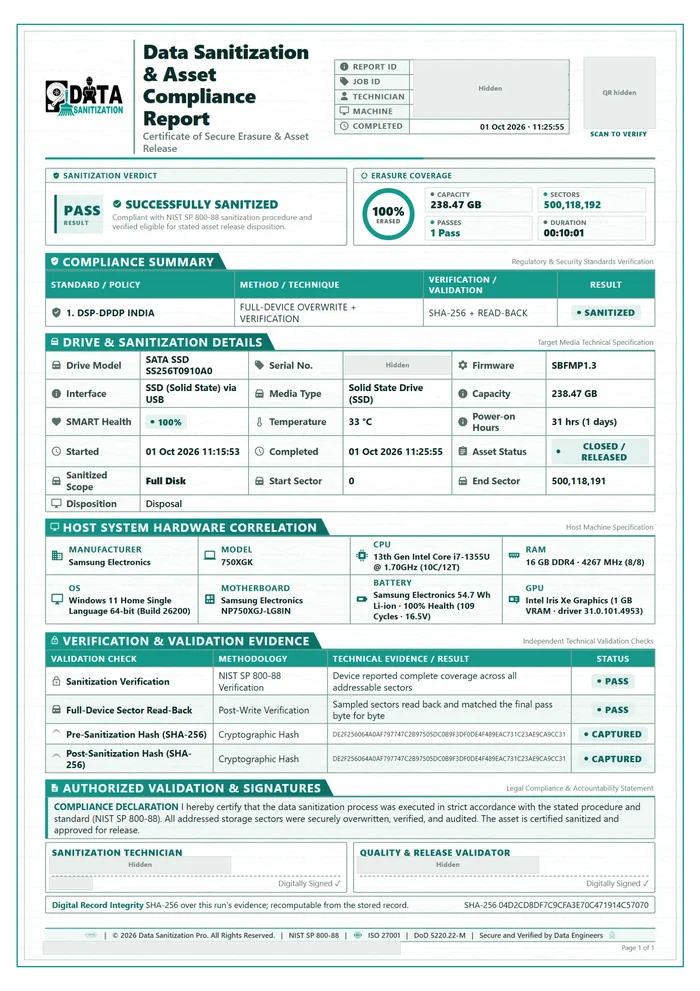 Pass · 100% ErasedDSP-DPDP India01 Oct 2026 · 256 GB SATA SSD over USB · 1 Pass · 10 min 01 sOpen PDF
 What Does a Data Erasure Certificate Prove?
Erasing a drive is only one part of a secure asset retirement process.
The next question is: What evidence do you have that the correct device was processed successfully?
A professional data erasure certificate creates a documented record of the operation performed on a specific storage device. It can connect the asset to its erasure method, verification result, processing time and responsible operator.
This is especially useful when equipment is being:
- Reused
- Redeployed
- Resold
- Refurbished
- Returned after a lease
- Retired from service
- Transferred to an ITAD provider
- Prepared for recycling
Data Sanitization Pro generates the certificate on the machine performing the work, so the document is tied to the actual erasure operation rather than being manually created afterward.
What Is Included in a Data Erasure Certificate?
The certificate is designed to document the asset and the process, not the information that was stored on it.
Device Information
The certificate can record information obtained from the storage device, including:
- Manufacturer
- Model
- Serial number
- Firmware revision
- Interface
- Capacity
- Sectors processed
Erasure Information
The report records important details about the sanitization operation, such as:
- Selected standard
- Erasure method
- Number of write passes
- Technique used
- Start time
- Completion time
- Processing duration
- Final status
Verification Information
Verification provides evidence that the completed operation was checked.
The certificate can include:
- Verification method
- Verification status
- Pre-sanitization hash
- Post-sanitization hash
- Validation information
Drive Health Information
Where available, drive information captured during processing can include:
- SMART status
- Temperature
- Power-on hours
Operator & Organization
The certificate can also identify:
- Operator
- Approver
- Organization
- Final release team
- Asset/custody information
Host System Information
The computer performing the operation can be recorded through details such as:
- Manufacturer
- Model
- Serial number
- Chassis
- UUID
- BIOS
- Operating system
- Processor
- Memory
Data Erasure Verification
A certificate becomes more useful when it documents what happened after the erasure process, not just that a job was started.
The workflow records the storage device before processing, performs the selected operation and then performs the applicable verification step.
This creates a traceable record:
- DEVICE
- ERASURE
- VERIFICATION
- CERTIFICATE
For procedures where verification is part of the selected method, the software's workflow keeps that verification requirement in place.
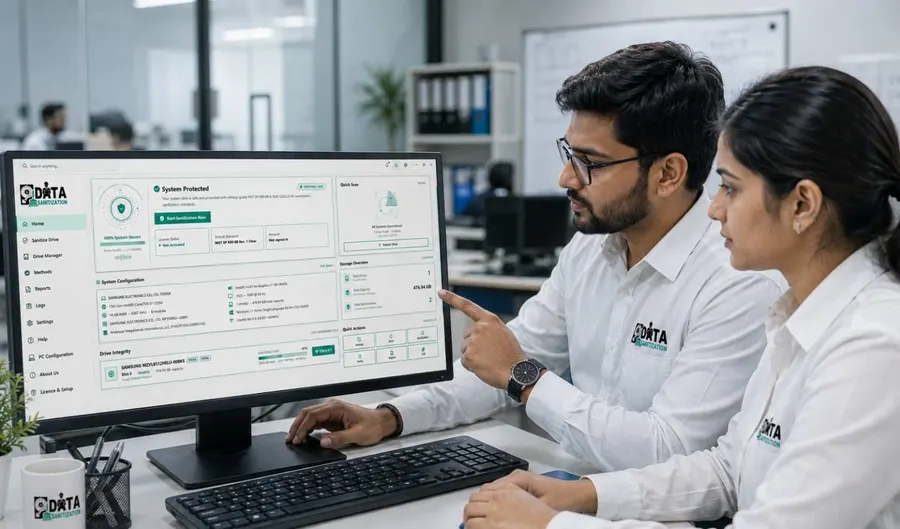
Asset Identification & Serial Number Tracking
One of the most important parts of a data wiping certificate is knowing exactly which physical asset the document belongs to.
A certificate can connect the result to the drive's:
Model + Serial Number + Capacity + Firmware + Interface
This is particularly valuable when an organization is processing many similar HDDs, SSDs or other storage devices.
Instead of relying on:
“Drive 27 was wiped.”
you have a document associated with the actual device identity.
Erasure Method & Result
A useful data sanitization report should tell you what method was actually used.
The certificate can document:
- Selected data erasure standard
- Sanitization technique
- Number of passes
- Processing times
- Verification information
- Final outcome
This makes the document useful alongside your organization's asset records and internal procedures.
For the complete explanation of supported standards and wiping methods, see the Erasure Standards guide.
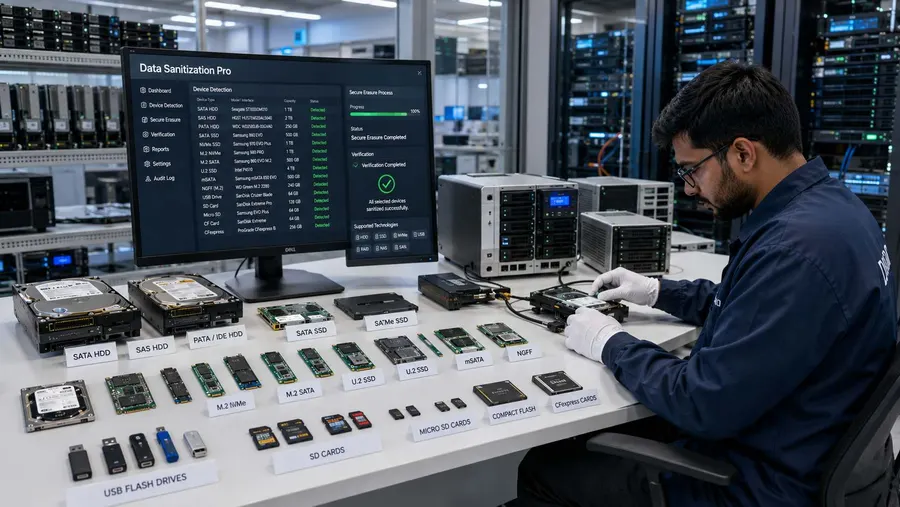
Audit-Ready Data Erasure Documentation
A data erasure certificate is not a replacement for an organization's complete compliance program.
Its purpose is to provide documented evidence of the specific sanitization activity.
For internal reviews, customer requests or asset-disposition records, the certificate can help answer:
- Which asset was processed?
- When was it processed?
- Which method was selected?
- What was the result?
- Was verification performed?
- Who performed the operation?
- Which system produced the document?
That makes reporting an important part of a controlled IT asset disposition and secure data erasure workflow.
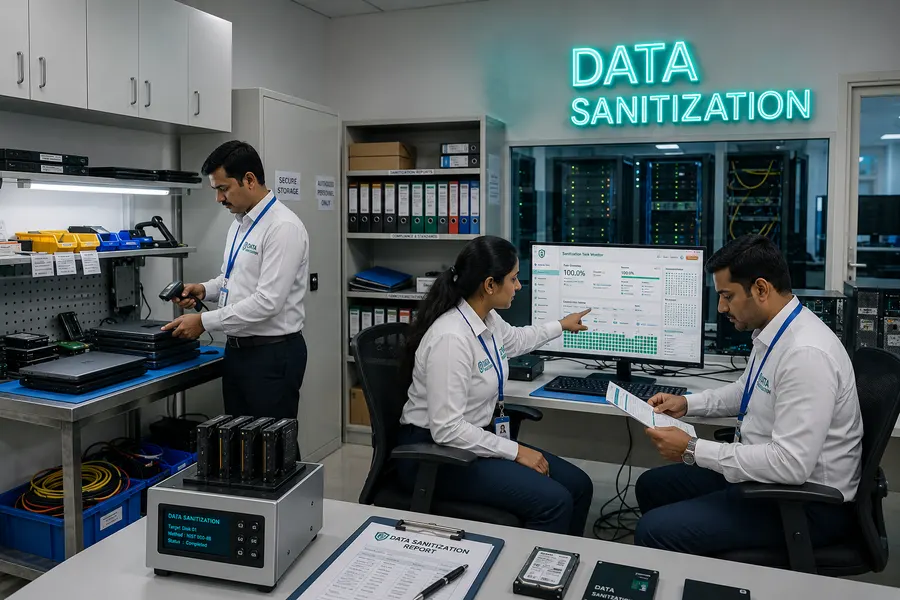
PC Hardware Test Report
Data Sanitization Pro also generates a separate PC Hardware Test Report.
This document is different from the data erasure certificate.
Instead of documenting a storage sanitization operation, it records the results of a hardware diagnostic process.
That can be useful when deciding whether a computer should be:
- Reused
- Refurbished
- Resold
- Redeployed
- Retired
What Is Included in the Hardware Test Report?
The hardware report can contain:
Overall Test Information
- Report ID
- Job ID
- Start time
- Completion time
- Test duration
- Overall verdict
- Hardware grade
Test Results
The report can show results across areas such as:
- CPU
- Memory
- Storage
- Display
- Battery
- Cooling
- Network
- Audio
- Camera
- Keyboard
- Bluetooth
- Motherboard
- BIOS
It can also show the distribution of:
- PASS
- WARNING
- FAIL
along with individual test readings and execution times.
Data Erasure Certificate vs Hardware Test Report
| Data Erasure Certificate | PC Hardware Test Report | |
|---|---|---|
| Primary purpose | Document data sanitization | Document hardware testing |
| Storage device details | ✓ | ✓ Where applicable |
| Erasure method | ✓ | — |
| Verification result | ✓ | — |
| Sanitization status | ✓ | — |
| Hardware diagnostics | — | ✓ |
| CPU / memory testing | — | ✓ |
| Storage health | ✓ | ✓ |
| System information | ✓ | ✓ |
| Useful for asset retirement | ✓ | ✓ |
Using both documents can provide a more complete picture of an asset:
Was the hardware suitable for its next destination? Was the data securely removed?
Data Erasure Reports for ITAD & Recyclers
For ITAD companies, refurbishers and recyclers, documentation can be just as important as the physical processing itself.
A typical asset workflow can be:
- Receive
- Identify
- Test
- Erase
- Verify
- Report
- Release
The certificate provides a record that can be associated with the asset's lifecycle.
This is particularly useful when processing large numbers of computers and storage devices for resale, reuse or recycling.
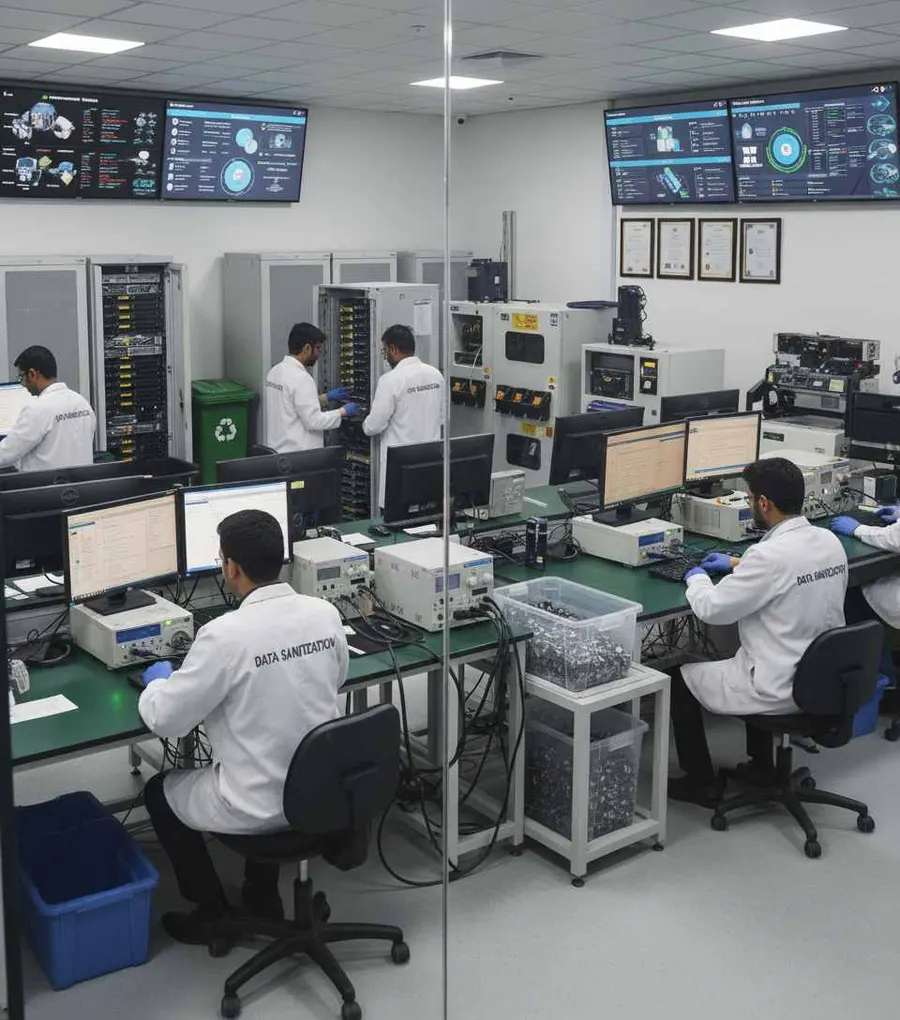
Enterprise Data Erasure Reporting
Enterprise IT teams can use structured reports when retiring:
- Employee laptops
- Desktop computers
- HDDs
- SSDs
- NVMe drives
- Servers
- Enterprise storage
- Retired IT equipment
Instead of manually documenting each completed job, the software generates the corresponding record from the system performing the work.
What the Certificate Does Not Contain
The certificate documents the asset and the sanitization process.
It does not need to reproduce the customer's files or the contents of the storage device.
In other words:
The certificate describes the erasure — it does not contain the erased data.
This keeps the evidence focused on asset identification, processing and verification.
Real Reports, Not Just Screenshots
Review the Documents Before Evaluating the Software
A software dashboard can look impressive.
But for data erasure, the final evidence matters.
That's why this resource provides actual sample documents that allow you to review the reporting format before starting an evaluation.
You can inspect:
- What asset information is captured
- How the erasure method is documented
- How verification is represented
- What hardware information is included
- How the final result is presented
No registration form is required simply to inspect the samples.
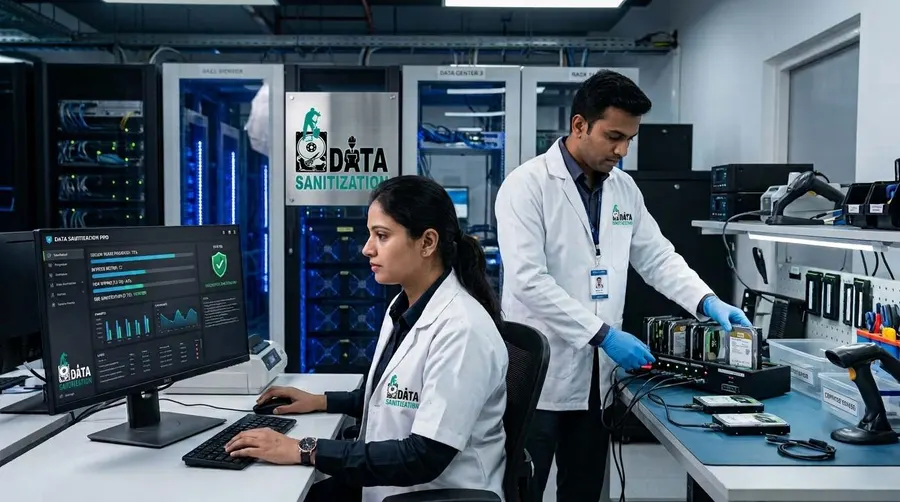
Who Needs Data Erasure Certificates?
Data erasure documentation can be valuable for:
ITAD Providers
Document completed sanitization before equipment is resold or recycled.
Enterprises
Maintain records for internal IT asset retirement.
Data Centres
Document storage and server retirement.
Read MoreGovernment & Defence
Maintain detailed records for controlled asset disposal.
Banking & Finance
Keep evidence associated with retired technology and storage media.
Read MoreHealthcare
Document the handling of retired data-bearing equipment.
Read MoreMSPs & Resellers
Provide clients with evidence after completing data erasure as part of a managed service.
Read MoreFrom Erasure to Evidence
A secure asset retirement workflow should not end when the erase process reaches 100%.
The complete process is:
- 01
Identify
Capture the device and system information.
- 02
Process
Run the selected data erasure or hardware test.
- 03
Verify
Check the applicable result.
- 04
Document
Generate the appropriate certificate or report.
- 05
Retain
Keep the document with the organization's asset records.
This turns a completed technical operation into a documented asset lifecycle record.
Frequently Asked Questions
What is a data erasure certificate?
A data erasure certificate is a document that records the details and outcome of a completed data sanitization operation on a specific storage device.
What is the difference between a data erasure certificate and a data wiping certificate?
In practice, the terms are often used similarly. Both can describe documentation showing that a storage device underwent a data wiping or erasure process. The important part is the information contained in the document and how the result was verified.
What information should a data erasure certificate contain?
Useful information includes the device serial number, model, capacity, selected method, verification result, processing timestamps, operator and other asset or system information.
Does the certificate contain the files that were erased?
No. The certificate documents the device and the sanitization process rather than reproducing the contents of the storage media.
Can the certificate identify a specific hard drive?
Yes. Device information such as model, serial number, firmware, interface and capacity can be included.
Can I get a certificate for SSD and NVMe erasure?
The reporting workflow can document supported storage sanitization operations, including the selected method and result.
Does Data Sanitization Pro provide a hardware test report?
Yes. The platform produces a separate PC Hardware Test Report for diagnostic testing.
Can I see a sample certificate before buying?
Yes. Sample PDF documents are available directly from this resource.
Does a certificate automatically make my organization compliant?
No. A certificate is evidence of a particular operation. Regulatory or standards compliance depends on the organization's complete policies, controls, procedures and applicable requirements.
See the Evidence Before You Choose
Review the sample data erasure certificate and PC hardware test report, then see how Data Sanitization Pro can fit into your asset retirement workflow.
Permanent data erasure, a checked result and a certificate for every drive.