
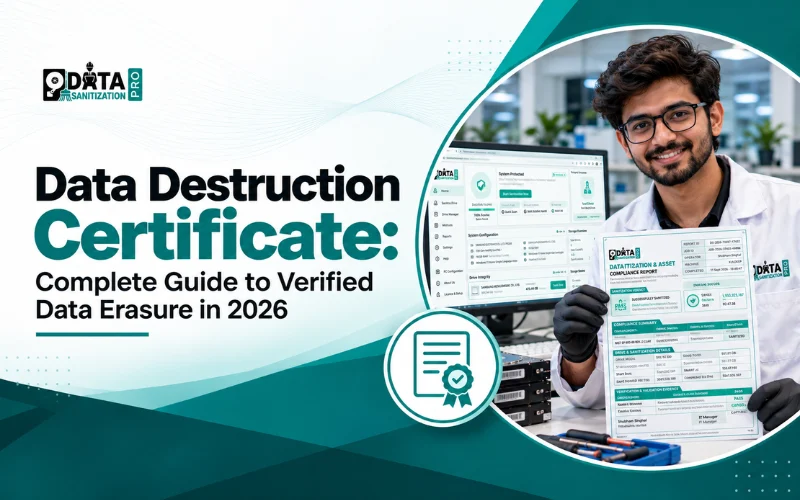
1. What Is a Data Destruction Certificate?
A Data Destruction Certificate is a document that records the outcome of a process used to sanitize data-bearing media or physically destroy it.
Related terms include:
- Certificate of Destruction
- Data Erasure Certificate
- Certificate of Sanitization
- Data Wiping Certificate
- Data Destruction Report
These terms are related, but they do not always describe the same process.
A Data Erasure Certificate documents a sanitization operation, such as a supported software-based erasure process. A Certificate of Physical Destruction documents the actual destruction of storage media through a process such as shredding or disintegration.
A certificate should identify what happened to the device. It should not claim that a drive was physically destroyed if only software erasure was performed.
A certificate also does not automatically guarantee legal compliance or prove that data is impossible to recover in every conceivable circumstance. Its value depends on the process performed, the evidence recorded and the applicable requirements.
2. Why Is a Data Destruction Certificate Important?
A certificate helps an organization answer important questions:
- Which device was processed?
- Which sanitization method was selected?
- When did processing start and finish?
- What verification result was recorded?
- Were any errors or exceptions reported?
- What happened to the asset after processing?
Device-level accountability
Device identifiers, serial numbers and asset tags help connect a certificate to a particular drive, laptop or server.
Audit-ready records
Detailed reports help organizations document data sanitization and support internal reviews, customer reporting and applicable audit requirements.
Reuse and resale
Functional devices may be reused, refurbished or resold after an appropriate sanitization process, provided the method meets the required outcome.
Bulk asset management
Individual certificates can be matched against asset inventories to identify missing devices, duplicate records and incomplete operations.
Better recycling documentation
For recyclers and ITAD providers, certificates help distinguish assets that completed the required sanitization process from devices that need further handling.
3. What Should a Data Destruction Certificate Include?
A professional certificate should contain enough information to identify the asset and understand the operation performed.
| Certificate field | Purpose |
| Certificate or report ID | Tracks and retrieves the document |
| Manufacturer and model | Identifies the hardware |
| Serial number or asset tag | Connects the record to a specific device |
| Storage capacity and media type | Describes the storage processed |
| Sanitization method or standard | Records the selected procedure |
| Processing status | Shows the recorded outcome |
| Verification result | Documents the applicable verification outcome |
| Start and completion timestamps | Records when the operation occurred |
| Operator and system information | Supports accountability |
| Error or exception details | Identifies incomplete or unsuccessful operations |
| Integrity information, where supported | Helps validate document integrity |
Additional fields may include firmware information, interface type, drive-health details, processing duration and verification metadata, depending on the device and workflow.
A useful certificate should reflect the actual result. If verification fails, the device must not be reported as successfully sanitized.
4. Data Destruction Certificate vs. Data Erasure Certificate
| Feature | Data Erasure Certificate | Physical Destruction Certificate |
| Main purpose | Documents sanitization | Documents physical destruction |
| Typical process | Supported software or device sanitization | Shredding, disintegration or another physical process |
| Hardware reuse | May be possible | Normally not possible for destroyed media |
| Typical evidence | Device, method, status and verification result | Device, destruction method and recorded outcome |
| Common use | Reuse, resale, refurbishment and retirement | Failed media or cases requiring physical destruction |
Degaussing also has limitations. It is generally used for magnetic media and should not be treated as a universal method for SSDs or other flash-based storage.
5. Data Sanitization Standards and Methods
Data sanitization software may provide multiple methods and profiles for different storage technologies and organizational requirements. However, a list of available methods does not mean every method was applied to a device.
Data Sanitization Pro publishes a library of 25+ sanitization methods and profiles:
- DSP-DPDP India
- NIST SP 800-88 Rev. 1 Clear
- NIST SP 800-88 Rev. 1 Purge
- NIST SP 800-88 Rev. 2 Clear
- NIST SP 800-88 Rev. 2 Purge
- IEEE 2883-2022
- ISO/IEC 27040:2024
- Random Overwrite
- DoD 5220.22-M
- DoD 5220.22-M ECE
- NSA/CSS Policy Manual 9-12
- HMG IS5 Baseline
- HMG IS5 Enhanced
- CSEC ITSG-06
- BSI-GSE
- BSI VSITR
- Gutmann Method
- Schneier Algorithm
- Pfitzner Method
- AFSSI-5020
- AR 380-19
- GOST R 50739-95
- NZISM
- NAVSO P-5239-26
- RCMP TSSIT OPS-II
These entries are not all the same type of specification. Some are standards or guidance references, while others are historical or specific wiping methodologies.
Which sanitization standard should you use?
The correct method depends on the storage technology, the sensitivity of the information, the device's capabilities and the required outcome.
NIST SP 800-88 Rev. 2 was published in September 2025 and superseded Rev. 1. It emphasizes establishing an organizational media sanitization program and selecting appropriate techniques and controls. Organizations should consult the applicable revision and current technical requirements rather than selecting a method solely because it has a familiar name.
Read the Data Sanitization Pro standards guide: https://datasanitizationpro.com/resources/standards/
Important: Support for a standard or method is not the same as independent product certification. A certificate records the selected method and the outcome of a particular operation; it does not mean all listed methods were used.
6. Testing, Certifications and Compliance Evidence
When evaluating data sanitization software organizations should examine the evidence behind the product's capabilities. Testing, product certification, company-level certification and regulatory compliance are different things.
Product testing and verification
Testing evaluates a product or capability under defined conditions. The test report should identify the product version, scope, methods and results.
Examples of evidence types that organizations may encounter include:
- NIST Tested Erasure Software: Evidence of testing against defined media-sanitization criteria. Review the actual report and its scope.
- STQC Test Report: A report documenting tests performed on a specified product or version under the stated conditions.
- OnTrack Erasure Verification: Independent verification evidence describing the tested product, methods and outcomes.
- ADISA Product Claims Certification: Evidence relating to tested product claims within the certification's stated scope.
- ADISA Product Assurance: NIST 800-88: Product assurance evidence associated with specified NIST media-sanitization requirements.
- ADISA Product Assurance: IEEE 2883: Product assurance evidence associated with the stated IEEE 2883 scope.
Product security certification
- Common Criteria Certification: A formal security evaluation under a defined evaluation scheme and assurance level. The certificate's product version and scope matter.
- NYCE Certificate of Compliance: A conformity document whose specific product, criteria and scope should be checked before relying on it.
Organization-level certifications and compliance claims
- ISO 27001 Certification: Relates to an information security management system within the certified organization's stated scope.
- ISO 9001 Certification: Relates to a quality management system within the certified organization's stated scope.
- HIPAA Seal of Compliance: A compliance-related claim that should be checked against its issuing organization's criteria, scope and validity.
These names represent different types of evidence. They must not be treated as interchangeable or as proof that every product from an organization has the same certification.
Before relying on any certification or test claim, confirm:
- The exact product and version covered.
- The issuing body and certificate or report.
- The testing or certification scope.
- The applicable standard and revision.
- Any limitations, conditions or validity dates.
- Whether the evidence applies to the software, the organization or a particular service.
For Data Sanitization Pro, verify each specific certification claim against its own published documentation. The presence of a sanitization method in the software does not by itself establish independent certification by NIST, ADISA, Common Criteria, STQC, NYCE or another body.
7. How Data Sanitization Pro Supports Certificate Reporting
Data Sanitization Pro supports data sanitization workflows and reporting for compatible storage devices. Its certificate workflow helps connect device information with the selected method and the recorded outcome.
Step 1: Identify the device
Capture available details such as manufacturer, model, serial number, capacity and asset reference.
Step 2: Select an appropriate method
Choose a method that suits the storage technology, device capability and organizational requirements.
Step 3: Perform sanitization
Run the selected workflow on a supported device. Operational monitoring can provide information about device status, progress, elapsed time and verification status.
Step 4: Review verification
Review the applicable verification result. If the process fails or encounters an error, follow the approved remediation procedure.
Step 5: Generate the report
Depending on the workflow, reporting can include device details, the selected method, timestamps, processing status, verification results and audit information. Published reporting information includes PDF, HTML and print-ready formats.
Step 6: Protect and retain records
Where supported and enabled, hashing and digital signatures can help validate report integrity. Retain records according to the organization's policy.
Step 7: Reconcile assets
Match certificates against the received asset list, processed devices and final destinations.
View sample data erasure certificates and reports: https://datasanitizationpro.com/resources/reports/
8. Verification, Hashing and Digital Signatures
These features serve different purposes.
Verification records the result of the applicable checking process.
Hashing creates a digital fingerprint of the data or document being checked. Comparing hashes can help detect changes, but a hash alone does not prove that every storage location on a drive was sanitized.
Digital signatures can provide evidence of signing identity and document integrity when correctly implemented and validated.
These features can strengthen an audit trail, but they do not replace appropriate method selection, successful processing or compliance with the organization's requirements.
9. Industries That Need Data Destruction Certificates
Data destruction certificates are useful wherever data-bearing equipment is collected, processed, reused, sold, recycled or disposed of.
IT Asset Disposition (ITAD) companies
Document sanitization before equipment resale, redeployment or final disposal.
E-waste recyclers
Maintain records for data-bearing devices received from businesses, institutions and individuals. Separate reusable equipment from devices requiring further treatment.
Scrap dealers and scrap yards
Old computers and electronic equipment may contain hard drives, SSDs or embedded storage. Establish a process to identify data-bearing devices and ensure they receive the required sanitization or destruction treatment before further handling.
Electronics recyclers
Record the outcome for storage devices recovered from desktop computers, laptops, servers and other electronic equipment.
Dead-laptop and damaged-device handlers
A laptop that no longer powers on may still contain readable storage media. The device's condition should be assessed and an appropriate sanitization or separately documented physical destruction process should be selected.
Refurbishers and resellers
Use device-level records to support documented sanitization before hardware changes ownership.
Data centers and enterprises
Maintain records during server decommissioning, storage replacement and large-scale IT refreshes.
Government, healthcare and financial organizations
Use sanitization records as supporting evidence within their wider information-security and asset-disposal processes.
A certificate does not replace inventory controls, chain-of-custody records or applicable legal and regulatory requirements. It should form part of a documented process.
10. What Happens When Verification Fails?
A drive may not be detected correctly, an operation may be interrupted, read errors may occur or the required verification may fail.
When this happens:
- Record the failed or incomplete outcome.
- Preserve relevant error and verification information.
- Investigate the cause.
- Apply another suitable method where appropriate.
- Consider physical destruction if the required outcome cannot otherwise be achieved.
- Update the asset record to reflect the actual final outcome.
Data Sanitization Pro includes storage-health monitoring and bad-sector reporting capabilities. Depending on the device and workflow, available information may include SMART status, temperature, power-on hours, firmware and error indicators.
These details can help assess device condition, but drive health is not proof of successful sanitization.
11. How to Choose Data Destruction Certificate Software
Before selecting data sanitization software, evaluate the evidence it produces.
- Device identification: Does the report identify an individual device?
- Method transparency: Does it show the method actually selected?
- Verification: Does it record the applicable verification result?
- Failure handling: Are incomplete operations and errors documented?
- Report integrity: Are appropriate integrity features available?
- Sample reports: Can you inspect a real certificate before purchasing?
- Device compatibility: Does the software support your storage technologies and interfaces?
- Standards accuracy: Are supported methods distinguished from independent certifications?
- Deployment: Does it support your security and connectivity requirements?
- Asset reconciliation: Can certificates be matched against inventory records?
- Retention: Can reports be retrieved for future audits?
Data Sanitization Pro combines supported sanitization workflows with verification, monitoring and reporting features to help organizations maintain consistent records. Confirm the available capabilities and certificate fields against your intended workflow.
Conclusion
A Data Destruction Certificate is an important part of responsible data sanitization and IT asset retirement. It helps document which device was processed, which method was selected and what result was recorded.
For enterprises, ITAD providers, e-waste recyclers, electronics recyclers, scrap dealers and businesses handling dead laptops, reliable records can improve asset tracking and support documented disposal processes.
When evaluating data sanitization software, look beyond method lists and certification logos. Check the exact product scope, review test reports where available, inspect sample certificates and confirm that the recorded evidence meets your requirements.
Data Sanitization Pro supports sanitization workflows, verification and reporting to help organizations maintain consistent records for data-bearing devices.
Identify the asset. Sanitize the data. Verify the result. Document the evidence.
Explore Data Sanitization Pro:
- Data erasure certificates and reports: https://datasanitizationpro.com/resources/reports/
- Certificate information: https://datasanitizationpro.com/services/certificate/
- Data sanitization standards: https://datasanitizationpro.com/resources/standards/